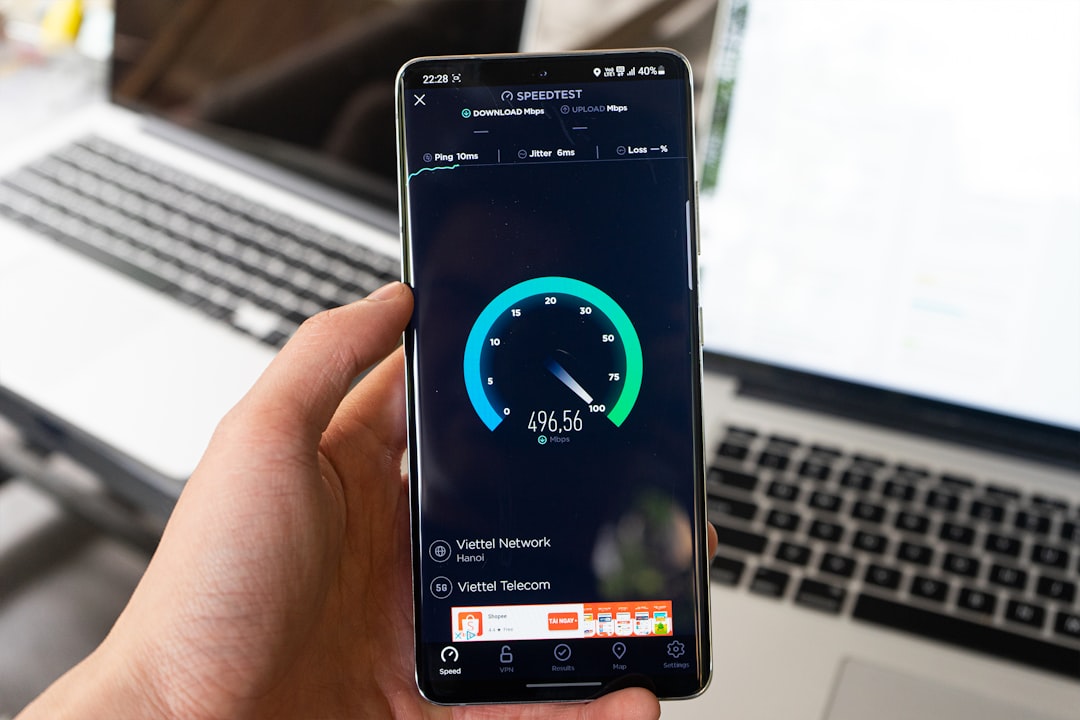

Wireless networking has become the invisible foundation of modern homes, offices, schools, and public spaces. As more people stream 4K video, join video calls, play cloud-based games, and connect smart devices, older WiFi standards can struggle to keep up. Two of the most important modern standards are WiFi 6 and WiFi 6E, which sound almost identical but offer different capabilities in real-world use.
TLDR: WiFi 6 improves speed, efficiency, battery life, and performance on the familiar 2.4 GHz and 5 GHz bands. WiFi 6E adds access to the newer 6 GHz band, giving compatible devices more room, less congestion, and lower latency. For most households, WiFi 6 is still a strong upgrade, while WiFi 6E is better for users with newer devices, crowded networks, or demanding tasks like gaming, VR, and high-resolution streaming.
What Is WiFi 6?
WiFi 6, technically known as 802.11ax, is the successor to WiFi 5, also called 802.11ac. It was designed not only to increase maximum speeds but also to improve how networks perform when many devices are connected at the same time. This matters because modern networks often support phones, laptops, tablets, smart TVs, smart speakers, security cameras, thermostats, appliances, and gaming consoles all at once.
Unlike WiFi 5, which primarily focused on the 5 GHz band, WiFi 6 works across both the 2.4 GHz and 5 GHz frequency bands. The 2.4 GHz band offers better range and wall penetration, while the 5 GHz band typically provides faster speeds with less interference than older 2.4 GHz networks.
WiFi 6 introduced several important technologies, including OFDMA, MU-MIMO, Target Wake Time, and improved beamforming. Together, these features help routers handle traffic more intelligently, reduce delays, and conserve battery power on connected devices.

What Is WiFi 6E?
WiFi 6E is not a completely new generation in the same way that WiFi 6 replaced WiFi 5. Instead, it is an extension of WiFi 6. The “E” stands for Extended, because WiFi 6E extends WiFi 6 into the 6 GHz frequency band.
This additional 6 GHz spectrum is the key difference between WiFi 6 and WiFi 6E. While WiFi 6 uses 2.4 GHz and 5 GHz, WiFi 6E can use 2.4 GHz, 5 GHz, and 6 GHz. That new third band creates much more available wireless space, especially in dense environments where many neighboring networks compete for the same channels.
The 6 GHz band is often compared to adding extra lanes to a busy highway. It does not change the underlying vehicle technology, but it gives compatible traffic a wider and clearer path. Because older devices cannot use the 6 GHz band, WiFi 6E networks can be cleaner, faster, and more responsive for devices that support it.
The Main Difference: The 6 GHz Band
The biggest distinction between WiFi 6 and WiFi 6E is simple: WiFi 6E supports 6 GHz, while WiFi 6 does not. This extra band matters because wireless performance is not only about theoretical maximum speed. It is also about interference, congestion, latency, and available channel width.
The traditional 2.4 GHz band is crowded. It is used by older WiFi devices, Bluetooth devices, baby monitors, microwaves, and other household electronics. The 5 GHz band is faster and less crowded, but it has also become busier as more routers and devices rely on it. The 6 GHz band gives WiFi 6E devices a fresh space with many more channels.
In practical terms, this means WiFi 6E can offer:
- Less congestion in busy apartment buildings, offices, and urban areas
- Lower latency for gaming, video calls, and real-time applications
- More wide channels for faster data transfer
- Cleaner connections because legacy devices do not operate on 6 GHz
Speed: Is WiFi 6E Faster Than WiFi 6?
On paper, WiFi 6 and WiFi 6E can offer similar maximum speeds because they are based on the same 802.11ax technology. However, real-world performance often favors WiFi 6E when compatible devices are close enough to the router and can use the 6 GHz band.
The advantage comes from cleaner spectrum and wider available channels. A WiFi 6 router on 5 GHz may have to compete with many nearby networks, especially in apartment complexes or office buildings. A WiFi 6E router can move compatible devices to the 6 GHz band, where there is usually less interference.
However, WiFi 6E is not automatically faster in every situation. The 6 GHz band has a shorter effective range than 2.4 GHz and may not travel through walls as well as lower frequencies. If a device is far from the router or separated by several walls, a strong WiFi 6 connection on 5 GHz or even 2.4 GHz may be more reliable than a weak 6 GHz signal.
Range and Coverage
Range is one area where WiFi 6 and WiFi 6E can behave differently. WiFi 6 uses the 2.4 GHz and 5 GHz bands, which are well established and suitable for whole-home coverage. The 2.4 GHz band is especially useful for long-range connections and devices located farther from the router.
WiFi 6E, when using the 6 GHz band, is best for shorter-distance, high-performance connections. The signal can deliver excellent speeds in the same room or nearby rooms, but it may weaken more quickly through walls, floors, and obstacles. For this reason, WiFi 6E works best in homes or offices with good router placement, mesh networking, or multiple access points.
It is also important to understand that WiFi 6E routers still support 2.4 GHz and 5 GHz bands. A WiFi 6E router does not force every device onto 6 GHz. Instead, it gives supported devices an additional option while older devices continue using the traditional bands.
Device Compatibility
Compatibility is another major factor. A device must have WiFi 6E hardware to use the 6 GHz band. A WiFi 6 phone, laptop, or tablet cannot connect to 6 GHz simply through a software update. The device needs a compatible wireless chipset and antenna design.
Many newer premium laptops, smartphones, tablets, and desktop motherboards include WiFi 6E support, but many budget and older devices do not. Smart home devices are also less likely to support WiFi 6E, partly because they often do not need extremely high speeds and may benefit more from the range of 2.4 GHz.
In contrast, WiFi 6 support is now much more common. Many modern routers, computers, and phones already use WiFi 6, making it a practical upgrade for a wide variety of users. For someone whose devices are mostly WiFi 5 or WiFi 6, buying a WiFi 6E router may still help future-proof the network, but the immediate benefits may be limited.
Latency and Performance in Crowded Networks
Latency refers to the time it takes data to travel between a device and its destination. Low latency is especially important for online gaming, video conferencing, augmented reality, virtual reality, and cloud computing. While speed determines how much data can be transferred, latency determines how responsive the connection feels.
WiFi 6 improves latency compared with older standards through smarter traffic management. Technologies like OFDMA allow routers to divide channels into smaller units so multiple devices can communicate more efficiently. This reduces waiting time and improves performance when many devices are active.
WiFi 6E can go further by moving compatible devices onto the 6 GHz band, where there is typically less competing traffic. This is one of the strongest reasons to choose WiFi 6E in crowded environments. In an apartment building with dozens of nearby networks, the 6 GHz band can make the connection feel smoother and more consistent.
Key Technologies Shared by WiFi 6 and WiFi 6E
Since WiFi 6E is an extension of WiFi 6, both standards share many core technologies. These features are part of what makes both options significantly better than older WiFi generations.
- OFDMA: Allows a router to serve multiple devices more efficiently by splitting channels into smaller resource units.
- MU-MIMO: Helps the router communicate with multiple devices at the same time rather than serving them one by one.
- Target Wake Time: Helps devices save battery by scheduling when they wake up to send or receive data.
- 1024-QAM: Increases data density, allowing more information to be transmitted in ideal conditions.
- Improved beamforming: Directs wireless signals more effectively toward connected devices.
These technologies are useful in both homes and businesses. They help networks remain stable even when many devices are active, which is one of the biggest challenges in modern wireless environments.
Security Differences
Security is closely related to router and device support. Many WiFi 6 and WiFi 6E devices support WPA3, a newer security protocol that improves password protection and encryption. WPA3 is especially valuable on public or shared networks because it makes certain attacks more difficult.
WiFi 6E requires WPA3 for 6 GHz operation, which means devices using that band benefit from stronger modern security standards. WiFi 6 devices may support WPA3, but it is not always mandatory in the same way. Users should still check router settings to ensure the strongest available security mode is enabled.
Which One Is Better for Homes?
For many homes, WiFi 6 is still more than enough. It provides better performance than WiFi 5, handles many connected devices well, and works with a broad range of current equipment. A household that mainly browses the web, streams video, uses smart home devices, and works remotely will often be satisfied with a high-quality WiFi 6 router or mesh system.
WiFi 6E becomes more attractive when the household has newer compatible devices, heavy bandwidth needs, or a crowded wireless environment. It is especially useful for users who transfer large files, stream high-resolution media, play competitive games, or want the best possible wireless performance for modern laptops and phones.

Which One Is Better for Businesses?
Businesses may benefit from WiFi 6E more quickly than average homes, especially if they operate in dense locations or support high-performance devices. Offices, schools, studios, hospitals, and venues often have many users connected at once. In these environments, additional 6 GHz spectrum can reduce congestion and improve reliability.
However, upgrading a business network should involve planning. Access point placement, device compatibility, security policies, and network capacity all matter. A poorly designed WiFi 6E deployment may not outperform a well-designed WiFi 6 network. The standard is important, but network planning is equally critical.
Cost and Upgrade Considerations
WiFi 6 routers are generally more affordable than WiFi 6E routers. They are widely available and come in many price ranges, from basic home routers to advanced mesh systems. For buyers on a budget, WiFi 6 usually offers the best balance of performance and value.
WiFi 6E routers and mesh systems often cost more because they include tri-band hardware and support for the 6 GHz band. The investment may be worthwhile for users who own WiFi 6E devices or want a network that remains useful for several years. Still, buyers should avoid paying extra for 6 GHz if none of their current or near-future devices can use it.
WiFi 6 vs WiFi 6E: Quick Comparison
- WiFi 6: Uses 2.4 GHz and 5 GHz bands.
- WiFi 6E: Uses 2.4 GHz, 5 GHz, and 6 GHz bands.
- WiFi 6: Better device compatibility and lower cost.
- WiFi 6E: Better for low congestion, low latency, and high-performance devices.
- WiFi 6: Strong choice for most homes and general use.
- WiFi 6E: Strong choice for future-ready networks and demanding users.
Final Verdict
The difference between WiFi 6 and WiFi 6E comes down mainly to spectrum. WiFi 6 brings major improvements in efficiency, capacity, and performance on the 2.4 GHz and 5 GHz bands. WiFi 6E builds on those improvements by adding the 6 GHz band, which can deliver cleaner, faster, and more responsive connections for compatible devices.
For most users, WiFi 6 remains a smart and cost-effective upgrade. For users with newer devices, congested networks, or demanding applications, WiFi 6E can provide a noticeable advantage. The best choice depends not only on the router but also on the devices, layout, budget, and performance needs of the network.
FAQ
Is WiFi 6E the same as WiFi 6?
No. WiFi 6E uses the same core technology as WiFi 6, but it adds support for the 6 GHz band. WiFi 6 only uses 2.4 GHz and 5 GHz.
Does WiFi 6E have better range than WiFi 6?
Not usually on the 6 GHz band. WiFi 6E can be very fast at shorter distances, but 6 GHz signals may not travel through walls as well as 2.4 GHz or 5 GHz signals.
Can WiFi 6 devices connect to a WiFi 6E router?
Yes. WiFi 6E routers are backward compatible with WiFi 6, WiFi 5, and older devices on supported bands. However, only WiFi 6E devices can use the 6 GHz band.
Is WiFi 6E worth it for gaming?
It can be worth it if the gaming device supports WiFi 6E and is close enough to the router. The 6 GHz band can reduce congestion and latency, which may improve online gaming performance.
Should most people buy WiFi 6 or WiFi 6E?
Most people will be well served by WiFi 6, especially if they want strong performance at a reasonable price. WiFi 6E is better for users with compatible devices, crowded networks, or a desire for a more future-ready setup.