A static IP is best when your business needs a stable, always-the-same internet address for servers, remote access, security rules, phone systems, cameras, or reliable hosting. A changing IP is usually fine for basic browsing, email, cloud apps, and small offices that do not host anything on-site. The real choice is not about which one sounds more technical. It is about how much control, uptime, and predictability your business needs.
TLDR: A static IP stays the same every time your business connects to the internet, while a changing IP may shift after router restarts, outages, or provider updates. For example, a 30-person office using a VPN for remote staff may save hours each month by using static IP rules instead of fixing broken access after address changes. If your business only uses Gmail, Microsoft 365, Zoom, and web apps, you may not need one. But if you run a server, security camera system, VoIP setup, or site-to-site VPN, a static IP is often worth the extra monthly fee.
What is a static IP?
A static IP address is a fixed public internet address assigned to your business connection. Think of it like a permanent street address for your network. Customers, vendors, remote workers, apps, and security systems can reach it again and again without wondering where it moved.
Most internet providers assign business customers either a fixed IP or a changing one. With a changing address, your router receives an available IP from the provider. It may stay the same for weeks. Then one morning, after a power cut or modem reboot, it changes. That is when things break.
The catch is that broken access rarely announces itself politely. Your camera app stops loading. Your VPN fails. Your payment system may refuse a connection. Someone then spends 20 minutes checking cables, restarting hardware, and asking, “Did anyone change anything?” It gets old fast.
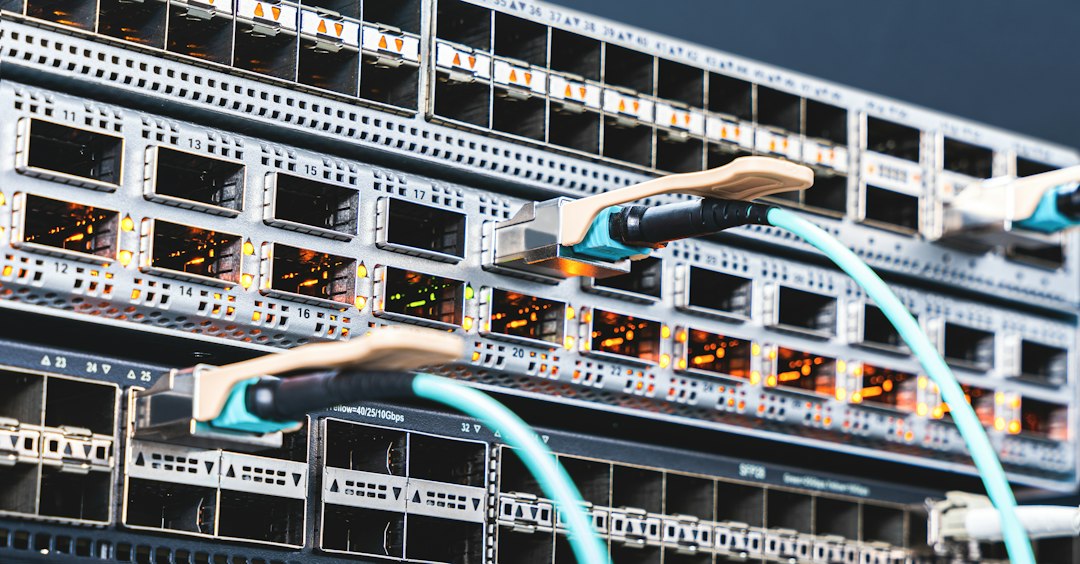
How an IP address works in business internet
An IP address identifies a device or network on the internet. Your office has many private addresses inside the building, such as laptops, printers, phones, and scanners. Your router uses one public address to communicate with the outside world.
There are two main types that matter for most business owners:
- Static public IP: The public address stays fixed unless you request a change.
- Changing public IP: The provider can assign a new address at different times.
For daily web use, the difference may be invisible. Your team can still browse websites, send emails, join video calls, and use cloud software. The problems show up when outside systems must recognize your office by address.
Static IP vs changing IP: the key differences
| Feature | Static IP | Changing IP |
|---|---|---|
| Address stability | Stays the same | May change |
| Best for | VPNs, servers, cameras, VoIP, access rules | Browsing, email, cloud tools |
| Cost | Usually costs extra | Often included |
| Setup | May need provider or IT support | Usually automatic |
| Reliability for remote access | High | Can be annoying |
When a business should use a static IP
A static IP makes sense when your internet connection supports more than casual web use. It is especially useful when systems outside your office need to find your network without guesswork.
Common business uses include:
- Remote access and VPNs: Staff can connect to the office network from home or while traveling.
- Site-to-site VPNs: Two offices can connect securely using fixed endpoint addresses.
- Security cameras: Owners and managers can view camera feeds without address failures.
- VoIP phone systems: Some providers prefer or require a fixed address for call routing and quality control.
- Email servers: A fixed address helps with reputation, filtering, and authentication.
- Web or app hosting: If you host anything on-site, a static IP keeps access steady.
- Firewall allowlists: Vendors can permit only your known office address for better security.
That last point matters. Many accounting platforms, payment gateways, warehouse tools, and private portals can restrict access to approved IP addresses. With a changing address, you may need to update those allowlists again and again. Expect to waste time on tickets that should never have existed.

When a changing IP is enough
Not every business needs a static IP. If your company uses almost all cloud services, a changing address may be perfectly fine. A retail shop with two point-of-sale tablets, a shared printer, and basic Wi-Fi may not notice any difference.
A changing IP is usually enough if your business:
- Uses cloud email only, such as Microsoft 365 or Google Workspace.
- Does not host servers in the office.
- Does not require remote staff to access internal systems.
- Does not use IP-based vendor restrictions.
- Only needs internet for browsing, orders, messaging, and video calls.
For many small teams, paying extra for a static IP is unnecessary. The money may be better spent on a stronger router, backup internet, managed Wi-Fi, or better cybersecurity tools.
Security: is a static IP safer?
A static IP is not automatically safer. It is more predictable. That cuts both ways.
On the positive side, predictability helps with firewall rules, VPN control, and vendor allowlists. You can say, “Only this office address may connect.” That is clean and simple.
On the negative side, a fixed address is easier to scan repeatedly. If your router, firewall, camera recorder, or server has weak passwords or open ports, attackers can keep trying. A static IP should be paired with strong security basics.
Use these safeguards:
- Place a business-grade firewall in front of sensitive systems.
- Close unused ports.
- Use multi-factor authentication for VPN access.
- Update router and firewall firmware.
- Use strong, unique admin passwords.
- Monitor failed login attempts.
Does static IP improve internet speed?
No, not by itself. A static IP does not make your internet line faster. Speed comes from your service plan, equipment, wiring, Wi-Fi quality, and network load.
That said, a static IP can make some services feel more reliable. Remote access connects to the same place each time. Vendor systems recognize your office right away. VPN tunnels do not need constant repair. The speed is not higher, but the workflow is smoother.
What does a static IP cost?
Pricing varies by provider and region. Many business internet providers charge a small monthly fee for one static IP. A typical range is $5 to $25 per month for a single address. Blocks of several static IPs cost more.
Some providers include one static IP with premium business plans. Others charge a setup fee. If you need several addresses, ask whether you are getting usable public IPs, not just internal routing addresses.
For a business that depends on remote access or vendor allowlists, even $15 per month can be cheap insurance. One support incident can cost more than a year of static IP fees.
IPv4, IPv6, and why availability matters
Most businesses still care about IPv4, the familiar format with numbers and dots, such as 203.0.113.25. IPv4 addresses are limited, so providers may charge more for fixed addresses or offer fewer of them.
IPv6 has a much larger address pool. Some newer services already use it well. Still, many business systems, vendors, firewalls, and older apps remain focused on IPv4. Before you buy a plan, ask your provider which address type you are getting and whether your key services support it.
How to choose the right option
Use a static IP if internet access is part of your operations, not just a utility. If remote users, vendors, customer systems, cameras, phones, or servers depend on finding your office, fixed addressing is the safer choice.
Use a changing IP if your business runs mostly on cloud services and has no inbound connections to the office network. Keep the setup simple until there is a real need.
A quick rule: If someone outside your office must connect to your office, consider a static IP. If your team only connects out to cloud apps and websites, you can probably skip it.
Questions to ask your internet provider
- Is a static public IPv4 address available on this plan?
- What is the monthly cost?
- Is there a setup fee?
- Can I get more than one address later?
- Will the address change if I upgrade service?
- Do you support reverse DNS for email servers?
- Can you provide backup internet with the same routing needs?
A static IP is not glamorous, but it solves a very real business problem: it gives your network a stable identity. For simple offices, that may be overkill. For businesses with remote access, security rules, on-site systems, or vendor restrictions, it can prevent outages, confusion, and those maddening “nothing changed, but everything broke” mornings.