
OpenAI’s Sora has become the reference point for cinematic AI video generation, but many creators, marketers, educators, and production teams still need tools they can use today. The strongest Sora alternatives may not match every headline-grabbing demo, yet several platforms already deliver practical results for short films, ads, social clips, product visuals, concept art, and motion experiments.
TLDR: The best Sora alternatives for AI video generation are Runway, Pika, Luma Dream Machine, Kling AI, and Haiper. Each platform offers a different balance of realism, control, speed, and accessibility. For professional creative workflows, Runway and Luma stand out, while Pika and Haiper are strong choices for fast social content and experimentation.
Why Sora Alternatives Matter
Sora has raised expectations for text-to-video generation by showing long, detailed, and highly realistic scenes. However, access, pricing, workflow integration, and commercial readiness are just as important as raw model capability. A tool that is available, predictable, and easy to iterate with may be more valuable than a more advanced system that remains limited or difficult to access.
For many teams, the goal is not to replace directors, animators, or editors. Instead, AI video tools help speed up ideation, generate visual options, create short clips, fill concept decks, and produce lightweight marketing assets. The best alternatives to Sora are the ones that can move from prompt to usable footage without creating endless technical friction.
1. Runway: Best Overall Sora Alternative for Creative Professionals
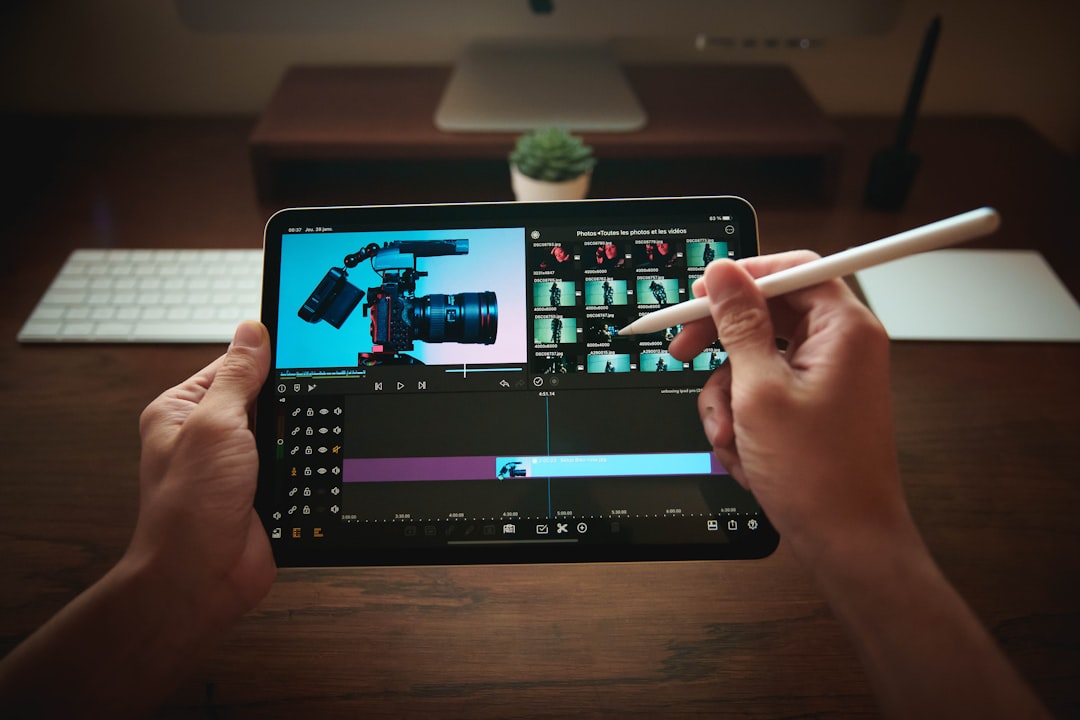
Runway is one of the most established AI video platforms and remains a leading option for creators who want a practical, production-friendly toolset. It is especially strong for teams that need text-to-video, image-to-video, video-to-video, motion control, background removal, and editing features inside one ecosystem.
Runway’s video models are known for generating polished, cinematic clips with strong mood, lighting, and composition. While results can still include typical AI flaws, such as warped details or inconsistent object behavior, its interface makes iteration relatively simple. Creative teams can test multiple prompts, adjust style direction, and combine outputs with conventional editing workflows.
Key strengths:
- Professional interface: Runway feels closer to a creative suite than a simple prompt box.
- Strong image-to-video tools: It works well when a team already has a visual reference or storyboard frame.
- Useful editing features: Tools for masking, removing backgrounds, and transforming clips make it more flexible.
- Good for commercial ideation: Agencies, filmmakers, and brands can use it for pitch visuals and proof-of-concept clips.
Best for: creative studios, ad teams, filmmakers, content strategists, and designers who need a serious AI video workflow rather than a novelty generator.
Where it may fall short: Runway can require patience. Generations may need several attempts before the movement, anatomy, and timing feel right. Costs can also rise for teams producing many tests or higher-quality outputs.
2. Pika: Best for Fast, Playful, Social-First Video Generation
Pika has gained popularity because it makes AI video generation approachable and fast. It is especially useful for short, visually engaging clips designed for social media, memes, product teasers, and lightweight creative experiments. Instead of feeling like a heavy production tool, Pika feels built for rapid iteration.
One of Pika’s advantages is its ability to animate images, stylize scenes, and create eye-catching motion from relatively simple prompts. It is not always the best option for long, realistic sequences, but it often performs well when the goal is to produce something energetic, surprising, or shareable.
Key strengths:
- Quick generation: Pika is well suited for creators who need many visual ideas quickly.
- Accessible workflow: The platform is easier to learn than many more technical AI video tools.
- Strong stylization: It can create animated, surreal, or exaggerated results that perform well in short-form content.
- Good image animation: Static visuals can be turned into moving clips with minimal setup.
Best for: social media creators, small businesses, meme pages, music promoters, and solo marketers looking for fast visual output.
Where it may fall short: Pika may not deliver the same level of realism or shot consistency as more advanced platforms. For narrative filmmaking or polished commercial scenes, users may need to combine Pika outputs with editing, compositing, or other AI tools.

3. Luma Dream Machine: Best for Cinematic Realism and Natural Motion
Luma Dream Machine is among the most impressive Sora alternatives for creators focused on cinematic movement and realistic visual style. It has earned attention for producing smooth camera motion, atmospheric scenes, and clips that often feel closer to film footage than simple animated images.
Dream Machine is particularly strong when given clear prompts involving camera direction, subject movement, and environmental detail. It can generate scenes with depth, mood, and visual coherence, making it valuable for concept trailers, mood films, storyboards, and speculative commercial visuals.
Key strengths:
- Cinematic output: The platform often produces impressive lighting, camera movement, and spatial depth.
- Natural motion: Many clips feel more fluid than those from simpler AI video generators.
- Strong prompt interpretation: Clear, descriptive prompts can produce surprisingly coherent scenes.
- Useful for visual development: Directors and creative teams can explore tone, pacing, and atmosphere quickly.
Best for: filmmakers, concept artists, creative directors, advertising teams, and anyone developing premium-looking visual ideas.
Where it may fall short: Like other AI video tools, Dream Machine can struggle with precise continuity, complex hand movement, readable text, and exact character identity over multiple shots. It is best treated as a powerful generator for individual clips rather than a complete end-to-end film production system.
4. Kling AI: Best for Realistic Character and Scene Generation
Kling AI has become a serious competitor in the AI video space, particularly because of its ability to produce realistic motion, detailed environments, and convincing human subjects. It is often discussed as one of the tools closest in spirit to Sora because it aims for high-quality text-to-video generation with believable physics and visual detail.
Kling can be especially effective for scenes involving people, fashion, lifestyle content, action, travel visuals, and realistic environments. When it performs well, the results can look highly polished and suitable for concept advertising, creator content, or cinematic experimentation.
Key strengths:
- Realistic human subjects: Kling is often strong at generating attractive, high-detail character visuals.
- Good environmental detail: It can create cities, interiors, landscapes, and lifestyle scenes with convincing texture.
- Competitive motion quality: Movement can appear smooth and physically plausible in many outputs.
- Strong contender for Sora-style clips: It is one of the more ambitious platforms in the AI video category.
Best for: creators seeking realistic scenes, commercial-style visuals, fashion clips, lifestyle videos, and cinematic character shots.
Where it may fall short: Availability, regional access, interface language, and usage limits may vary. As with other platforms, results can be inconsistent, and professional users may need several generations to achieve the desired output.
5. Haiper: Best for Simple, Accessible AI Video Experiments
Haiper is a strong option for users who want a straightforward AI video generator without a steep learning curve. It may not always produce the most cinematic or realistic clips compared with Runway, Luma, or Kling, but it delivers value through accessibility, speed, and ease of experimentation.
Haiper is useful for turning prompts and images into short videos, testing creative ideas, and making quick visual assets. It suits creators who want to explore AI video without building an advanced production pipeline. For social clips, abstract visuals, stylized motion, and early-stage concepts, it can provide useful results quickly.
Key strengths:
- Beginner-friendly: The platform is easy for non-technical users to understand.
- Fast experimentation: It encourages quick testing of prompts, styles, and visual concepts.
- Good for simple clips: Short animations and visual ideas can be created with minimal effort.
- Low barrier to entry: It is a practical starting point for users new to AI video generation.
Best for: beginners, educators, small content teams, hobbyists, and creators who need quick AI-generated video concepts.
Where it may fall short: Haiper may not offer the same depth of control or premium output quality as more advanced platforms. It is better suited to experimentation and lightweight content than high-end production.
How to Choose the Right Sora Alternative
The right choice depends on the type of video a team wants to create. A professional studio may prioritize control, camera motion, and export quality. A social media creator may care more about speed, visual punch, and ease of use. A marketer may need brand-safe consistency, while a filmmaker may need atmosphere and shot composition.
For the best all-around workflow, Runway is often the safest choice. It combines generation and editing tools in a way that supports real creative projects. For cinematic realism, Luma Dream Machine is one of the most compelling options. For fast social content, Pika is difficult to ignore. For realistic characters and detailed scenes, Kling AI is a powerful contender. For beginners, Haiper keeps the process simple and approachable.
It is also important to evaluate licensing terms, output resolution, watermark policies, commercial usage rights, and data privacy. AI video is evolving quickly, and the best platform for one project may not be the best platform for another. Many serious creators use more than one tool, generating clips in different platforms and then assembling the best results in a traditional editor.
Practical Tips for Getting Better AI Video Results
AI video tools respond best to clear, visual instructions. Instead of using vague prompts, creators should describe the subject, setting, camera movement, lighting, mood, and style. A prompt such as “a woman walking through a rainy neon street at night, slow tracking shot, cinematic lighting, shallow depth of field” is usually more useful than “cool cyberpunk video.”
Image-to-video workflows can also improve consistency. By starting with a carefully designed image, a creator gives the AI model a stronger visual anchor. This is especially helpful for product visuals, character concepts, architecture, fashion, and branded creative.
Finally, teams should expect iteration. The best AI video results rarely come from a single prompt. They usually come from testing variations, selecting the strongest generations, refining prompts, and editing clips together with music, sound design, captions, and color adjustments.
Final Verdict
Sora may be the most famous name in AI video generation, but it is not the only option worth watching. Runway, Pika, Luma Dream Machine, Kling AI, and Haiper all deliver useful results today, each with its own strengths and limitations. The most successful creators will not simply chase the most hyped tool; they will choose the platform that matches their workflow, budget, and creative goals.
For polished professional work, Runway and Luma are especially strong. For fast, playful content, Pika and Haiper offer speed and accessibility. For realistic cinematic scenes, Kling AI is a serious competitor. Together, these tools prove that AI video generation is no longer just a futuristic promise. It is already becoming part of everyday creative production.
FAQ
What is the best Sora alternative overall?
Runway is often the best overall Sora alternative because it combines AI video generation with practical editing and creative workflow tools. It is especially useful for professionals and teams that need more than basic text-to-video generation.
Which Sora alternative is best for realistic video?
Luma Dream Machine and Kling AI are both strong choices for realistic video. Luma is known for cinematic camera movement and atmosphere, while Kling AI is strong in realistic human subjects and detailed scenes.
Which AI video generator is easiest for beginners?
Haiper is one of the easiest options for beginners because it offers a simple interface and fast experimentation. Pika is also beginner-friendly, especially for short social videos and creative animations.
Can these tools replace traditional video production?
They can support video production, but they do not fully replace traditional production for complex projects. AI video generators are best used for ideation, short clips, concept visuals, social content, and experimental scenes. Professional projects still benefit from editing, direction, sound design, and human creative judgment.
Are AI-generated videos suitable for commercial use?
Many platforms offer commercial usage options, but terms vary. Teams should always review licensing rules, paid plan limitations, watermark policies, and rights related to generated content before using AI videos in advertisements, client work, or paid campaigns.
How can creators get better results from AI video prompts?
Better results usually come from detailed prompts that describe the subject, setting, movement, camera style, lighting, and mood. Using image-to-video features, testing multiple variations, and editing the best clips together can also significantly improve final quality.