

GNOME Keyring is best for app secrets and desktop convenience, while KeePassXC is better for serious password storage that a person controls directly. GNOME Keyring quietly stores Wi Fi passwords, browser tokens, SSH passphrases, and app credentials on many Linux desktops. KeePassXC stores logins in an encrypted database file and gives the user more control, more portability, and fewer surprises.
TLDR: GNOME Keyring works like a background safe for Linux apps, so it is ideal when Evolution, Chromium, Git, or NetworkManager needs to remember a secret. KeePassXC is a full password manager, better suited for hundreds of website logins, notes, TOTP codes, and shared backups. For example, a developer with 120 logins and 8 SSH keys may use KeePassXC for the logins, while GNOME Keyring handles the SSH unlock prompt after login. In a small office, that split can cut repeated password prompts by 50% or more while still keeping the main password vault portable.
What GNOME Keyring actually does
GNOME Keyring is a local secret storage service used by the GNOME desktop and many Linux applications. It stores sensitive data in encrypted “keyrings.” A keyring can hold passwords, certificates, private keys, tokens, and other small secrets.
Most users meet it without asking for it. A Wi Fi password gets saved. A browser asks to store a login token. An email client remembers an account password. An SSH key unlocks once and then keeps working for the session. That is GNOME Keyring doing its job in the background.
It supports the Secret Service API, a common Linux interface used by desktop apps. This means apps do not need to build their own storage system for secrets. They can ask the keyring to store and retrieve data instead.
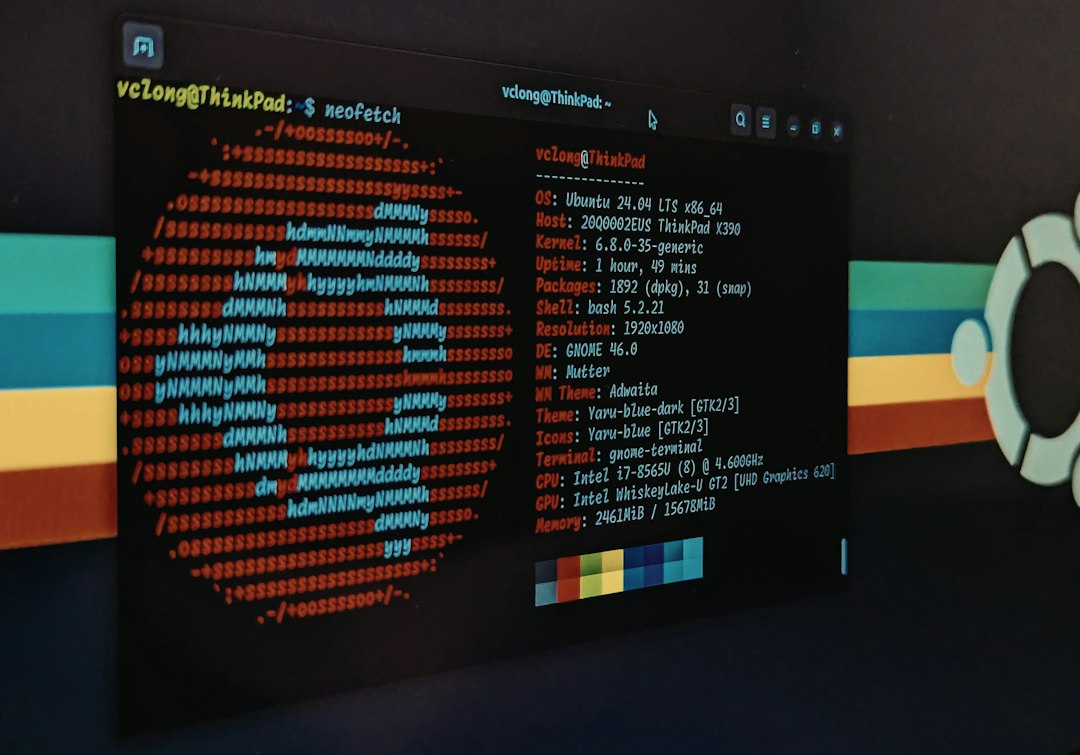
How GNOME Keyring stores passwords
GNOME Keyring usually creates a default keyring named Login. On many systems, this keyring unlocks automatically when the user logs in. That happens when the account password and keyring password match.
This is convenient. It also explains a common moment of irritation. When the user changes the Linux account password, the keyring may keep the old password. Suddenly, a pop up appears after every login asking for the “Login keyring” password. It feels silly because the user is already signed in, yet the desktop still asks for another unlock.
The keyring is encrypted at rest. Still, once unlocked, approved applications can request stored secrets. That is the core tradeoff. GNOME Keyring is built for desktop integration, not for manual vault management.
What KeePassXC does differently
KeePassXC is a standalone password manager for Linux, Windows, and macOS. It stores entries inside a .kdbx database file. That file is encrypted and can be copied, backed up, synced, or kept offline.
KeePassXC is made for human-managed password storage. It can hold website logins, bank credentials, software licenses, recovery codes, secure notes, SSH keys, and TOTP one-time codes. It also supports browser integration, auto-type, password generation, key files, and hardware-backed workflows in some setups.
Its biggest strength is control. The user decides where the database lives. It can sit on a local drive, an encrypted USB stick, Syncthing, Nextcloud, or a private backup system. No online account is required.
GNOME Keyring vs KeePassXC: the practical difference
The easiest way to compare them is by purpose. GNOME Keyring serves applications. KeePassXC serves the user.
- GNOME Keyring: best for Wi Fi passwords, app tokens, SSH agent use, browser helper storage, and desktop sign-in convenience.
- KeePassXC: best for personal passwords, work logins, secure notes, shared vault files, recovery codes, and long-term password organization.
GNOME Keyring fades into the desktop. KeePassXC stays visible. That is not a flaw. It is the point. A person opens KeePassXC to search, copy, generate, edit, tag, and audit credentials. GNOME Keyring is rarely opened directly unless something breaks.
| Feature | GNOME Keyring | KeePassXC |
|---|---|---|
| Main role | Desktop secret service | Password manager |
| Best for | App credentials and session secrets | Human-managed accounts and notes |
| Portability | Tied to desktop setup | Portable encrypted database |
| Browser use | Indirect, app dependent | Built-in browser integration |
| Sync | Not its main purpose | User chooses sync method |
Security model and risks
Both tools can be secure, but they protect different things in different ways.
GNOME Keyring protects local app secrets. Its security depends on the login session, desktop permissions, and the user account. If malware runs as the same user after the keyring is unlocked, it may be able to ask for secrets through normal desktop channels. That is uncomfortable, but it reflects the trust model of a logged-in desktop session.
KeePassXC protects a vault file with a master password and optional extras such as a key file. It uses strong encryption and modern key derivation options. If the database is locked, an attacker needs the master password or other unlock material. If the user chooses a weak master password, the whole setup suffers.
The catch is that KeePassXC adds chores. The database must be backed up. Sync conflicts can happen. Browser integration needs setup. Auto-type may need window rules. Expect to waste time on small fixes if the same vault is used across several machines.
When GNOME Keyring is the better choice
GNOME Keyring is the right tool when the secret belongs to the desktop session or to an app. A Linux laptop that needs to remember Wi Fi passwords does not need a KeePassXC entry for every network. An SSH passphrase that should unlock after login fits nicely into GNOME Keyring.
It is also useful for users who want fewer prompts. If the keyring unlocks on login, the desktop feels smooth. Email, chat, VPN, and Git tools can access stored credentials without asking every 10 minutes.
When KeePassXC is the better choice
KeePassXC is better when the password needs structure, search, backup, and reuse across devices. Website accounts are the obvious case. So are admin panels, database passwords, recovery keys, API tokens, and client credentials.
It also suits users who dislike cloud password managers. The vault can remain offline. Or it can sync through a chosen tool. That choice matters for people who want ownership of their data without paying a subscription.
Can both be used together?
Yes. In fact, that is often the cleanest setup on Linux.
- Use GNOME Keyring for desktop secrets, Wi Fi, app tokens, and SSH session convenience.
- Use KeePassXC for website passwords, admin logins, recovery codes, and secure notes.
- Use a strong KeePassXC master password, ideally a long passphrase.
- Back up the KeePassXC database in at least two safe places.
- Do not store the KeePassXC master password inside GNOME Keyring.
This avoids forcing one tool to act like the other. GNOME Keyring remains a desktop helper. KeePassXC remains the main vault.
Which one should a Linux user choose?
For most Linux users, the answer is both. GNOME Keyring should remain enabled unless there is a clear reason to remove it. Many desktop apps expect it, and disabling it can create annoying login prompts or broken credential storage.
KeePassXC should be added when the user has more than a handful of accounts. Once a person has 30, 50, or 100 passwords, a real password manager stops being optional. It becomes basic hygiene.
If only one tool can be trusted with long-term credentials, KeePassXC is the stronger pick. If the goal is smooth Linux desktop behavior, GNOME Keyring is the quiet winner.
FAQ
Is GNOME Keyring a password manager?
Not in the usual sense. It stores secrets for apps and the desktop. It lacks the organization, portability, and user controls expected from a full password manager like KeePassXC.
Is KeePassXC safer than GNOME Keyring?
For long-term password storage, usually yes. KeePassXC gives stronger manual control over the vault. GNOME Keyring is still useful and secure for local app secrets.
Should GNOME Keyring be disabled?
Usually no. Disabling it can break app credential storage or cause repeated password prompts. It is better to use it for desktop secrets and keep personal passwords in KeePassXC.
Can KeePassXC store SSH keys?
Yes. KeePassXC can store and use SSH keys through its SSH agent features. Some users still prefer GNOME Keyring for automatic SSH unlocking after login.
Where should the KeePassXC database be stored?
It can be stored locally, on an encrypted drive, or synced with a trusted tool. The key rule is simple: keep backups, use a strong master password, and avoid weak cloud sharing habits.