

Deep research today demands more than scattered notes and bookmarked tabs. Whether you are an academic, analyst, writer, or founder, managing complex knowledge requires systems that capture sources, connect ideas, and surface insights on demand. This is where Personal Knowledge Management (PKM) tools step in. The best platforms go beyond note-taking: they support backlinks, advanced queries, graph visualization, and dynamic databases that help you think clearly and work deeply.
TL;DR: Deep research workflows thrive on PKM tools that support backlinks, bi-directional linking, and powerful queries. Tools like Obsidian, Roam Research, and Logseq excel in networked thinking, while Notion and Capacities offer flexible databases. Choosing the right tool depends on your need for graphs, automation, collaboration, and data portability. The right PKM system turns scattered information into connected insight.
Below are the top 9 PKM tools that stand out for deep research workflows, especially if you rely on interconnected notes and query-driven insight.
1. Obsidian
Best for: Power users who want full control and local storage.
Obsidian is often considered the gold standard for serious PKM practitioners. Built around local Markdown files, it uses bi-directional backlinks to create a network of ideas rather than a hierarchy of folders.
What makes Obsidian powerful for deep research?
- Backlinks and Graph View: Visualize how your ideas connect.
- Advanced Queries via Dataview: Turn notes into dynamic databases.
- Plugins: Citations, spaced repetition, task management, and more.
- Local-first control: Your data stays on your device.
Researchers especially love the ability to query notes by tags, metadata, or custom properties — for example, pulling all research notes tagged “cognitive bias” updated within the last 30 days.

2. Roam Research
Best for: Fluid, daily-note-driven thinking.
Roam pioneered mainstream bi-directional linking. Its block-based structure allows you to reference and embed ideas anywhere. For researchers, this creates a living knowledge network.
Key strengths include:
- Block-level references instead of just page-level links.
- Powerful query syntax for pulling related blocks.
- Daily notes workflow that encourages organic thinking.
Roam excels when your research evolves nonlinearly and you want discoveries to emerge naturally through linking.
3. Logseq
Best for: Open-source enthusiasts and privacy-focused researchers.
Logseq combines many strengths of Roam and Obsidian while remaining open source. It emphasizes outliner-based thinking and robust bidirectional linking.
- Local-first storage.
- Block-level embedding.
- Datalog query system for advanced users.
- Built-in task and flashcard features.
The Datalog query engine allows researchers to retrieve structured information across thousands of notes. For instance, you can query all notes with a specific property like “Author:: Kahneman” and display them dynamically.
4. Notion
Best for: Database-driven research dashboards.
Notion approaches PKM from a structured database angle. While backlinks are present, its real power lies in relational databases and filtered views.
With Notion, you can:
- Create research databases with custom properties.
- Link research projects to source materials.
- Filter and query via database views.
- Collaborate seamlessly with teams.
For collaborative deep research workflows — like policy teams or content agencies — Notion provides clarity and structure at scale.

5. Capacities
Best for: Object-based thinking.
Capacities introduces an “object-first” model: instead of random notes, you create defined objects like “Person,” “Book,” or “Research Idea.”
This is particularly useful for deep research because:
- Each object carries structured properties.
- Objects interlink cleanly.
- Queries surface relationships dynamically.
It blends visual organization with structured data — a hybrid between note-based and database-driven PKM.
6. Tana
Best for: Structured, AI-enhanced research workflows.
Tana expands on the block-based model with Super Tags, turning tags into structured data templates. In research contexts, this means every “Paper” tag can automatically include fields like Author, Year, and Key Insights.
Notable strengths:
- Real-time queries across structured nodes.
- AI integration for summaries and idea synthesis.
- Highly flexible graph structure.
Tana’s query engine allows you to instantly pull every note matching defined criteria without building separate dashboards.
7. RemNote
Best for: Research combined with spaced repetition learning.
RemNote uniquely blends research PKM with memory reinforcement. If your deep research requires absorbing large volumes of information, this tool shines.
- Bidirectional linking.
- Built-in flashcards.
- Hierarchical outlines.
- Tag-based querying.
This makes it especially popular among graduate students, medical researchers, and lawyers handling complex material.
8. DEVONthink
Best for: Document-heavy research and archival work.
DEVONthink is less about pretty graphs and more about serious information management. It excels in handling PDFs, scanned documents, and large research libraries.
- Advanced AI-assisted document search.
- Smart groups (saved searches).
- Local privacy control.
- Excellent PDF annotation.
Its smart groups function like dynamic queries: set criteria once, and matched files appear automatically. For archival research, this is invaluable.
9. Heptabase
Best for: Visual deep thinking and conceptual clustering.
Heptabase centers around whiteboards and visual cards while maintaining backlinks and tagging systems.
Researchers can cluster related notes spatially, forming conceptual maps that mirror how ideas connect cognitively.
- Spatial organization of ideas.
- Linked cards with references.
- PDF annotation integration.
- Structured tagging system.
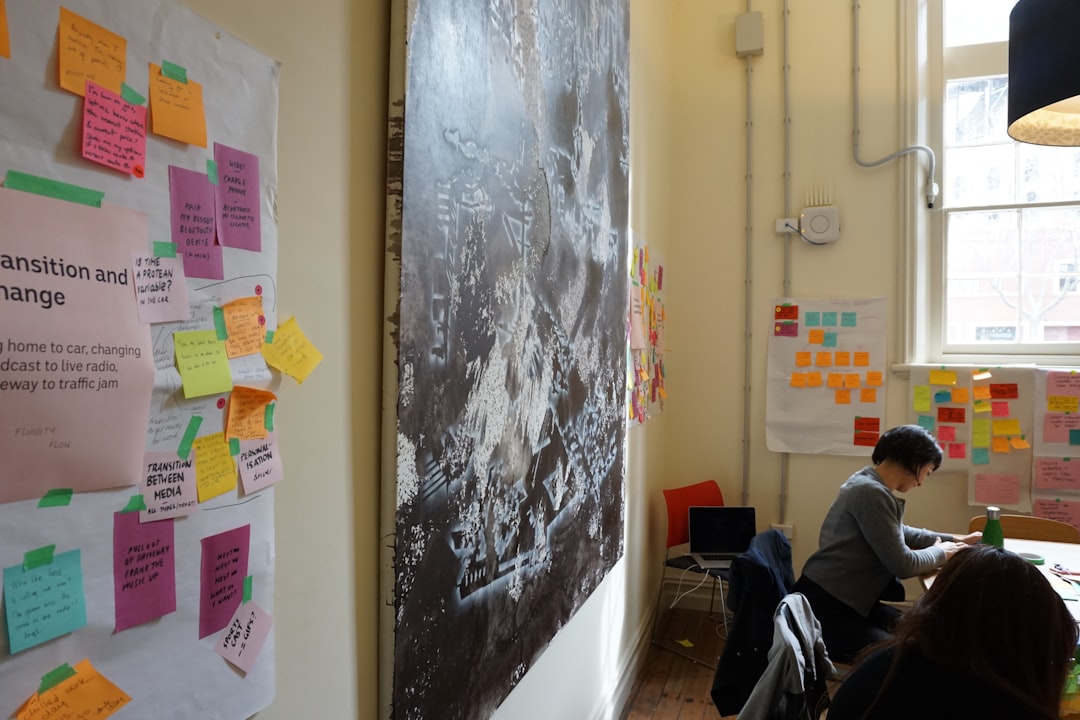
This hybrid of visual mapping and networked notes makes it ideal for thesis development and complex problem-solving.
What to Look for in a Deep Research PKM Tool
When selecting your system, prioritize features that enhance long-term thinking:
- Bi-directional backlinks for networked knowledge.
- Advanced query capabilities to surface insights dynamically.
- Metadata and properties for structured research.
- Graph or visualization tools for macro-level understanding.
- Data ownership and export flexibility.
The true power of a PKM system emerges over time. As your note volume grows from hundreds to thousands, backlinks reveal hidden connections and queries uncover patterns you didn’t consciously design.
Designing a Deep Research Workflow
Regardless of the tool you choose, an effective deep research workflow often follows this structure:
- Capture: Import sources, annotate, extract insights.
- Connect: Link ideas across projects and themes.
- Structure: Add tags, properties, and metadata.
- Query: Pull dynamic collections based on criteria.
- Synthesize: Turn clustered insights into new output.
The combination of backlinks and queries transforms your PKM system from a storage vault into an insight engine.
Final Thoughts
Deep research is no longer about collecting information — it’s about navigating interconnected networks of ideas. The right PKM tool helps you think in graphs rather than folders, in systems rather than silos.
Obsidian and Logseq excel for local-first power users. Roam and Tana shine in dynamic block-based thinking. Notion and Capacities offer structured database frameworks. DEVONthink handles heavy archives. Heptabase supports visual synthesis. RemNote merges research with retention.
Ultimately, the best PKM tool is the one that aligns with your thinking style and research depth. Choose a system that encourages linking, supports powerful queries, and grows with your intellectual ambitions — because in deep work, connections create clarity.