

Running a small business can feel like juggling oranges, invoices, emails, and one very confused cat. Workflow management software helps keep the chaos in a neat little box. In 2026, the best tools are smarter, faster, and much easier to use.
TLDR: The best small business workflow platforms in 2026 are easy to set up, friendly for teams, and packed with automation. monday.com, ClickUp, and Asana are great all-rounders. Trello, Notion, Airtable, and Zoho Projects also shine for specific needs. Pick the one that matches how your team already works.
Why workflow software matters in 2026
Small teams move fast. Sometimes too fast. Tasks get lost. Follow-ups vanish. Someone forgets to send the proposal. Someone else says, “I thought Bob was doing that.” Bob is on vacation.
Good workflow software fixes this. It gives your team one shared place to plan, assign, track, and finish work. It also handles boring repeat tasks. That means fewer meetings. Fewer sticky notes. Less panic.
In 2026, the best platforms include AI helpers, smart automations, dashboards, templates, and deep app integrations. But do not worry. You do not need to be a tech wizard. Most tools are now built for normal humans.
1. monday.com
Best for: Teams that want a colorful, flexible command center.
monday.com is one of the most popular workflow platforms for small businesses. It looks bright and friendly. It also makes complex work feel simple. You can build boards for sales, marketing, projects, hiring, client work, and daily operations.
The best part is its flexibility. You can view work as a table, calendar, timeline, Kanban board, or dashboard. Automations are easy too. For example, when a task is marked “done,” monday.com can notify the next person or move the item to another board.
Why small businesses like it:
- Simple visual boards.
- Strong automation features.
- Great dashboards for managers.
- Many templates for different industries.
Watch out for: It can get pricey as your team grows and adds advanced features.
2. ClickUp
Best for: Teams that want almost everything in one place.
ClickUp is like a digital Swiss Army knife. It handles tasks, docs, goals, chat, whiteboards, time tracking, and dashboards. If your business wants fewer tools, ClickUp is a strong choice.
In 2026, ClickUp continues to lean into AI. It can help summarize tasks, draft updates, create action items, and organize project notes. That is handy when your team has ten browser tabs open and zero patience left.
Why small businesses like it:
- Lots of features in one platform.
- Custom views for different work styles.
- Good for remote and hybrid teams.
- Useful AI and document tools.
Watch out for: Because it does so much, setup can feel a little busy at first.
3. Asana
Best for: Teams that want clean project tracking with less clutter.
Asana is polished, calm, and easy to understand. It is great for managing projects, campaign plans, product launches, client tasks, and recurring work. Its interface feels less crowded than some bigger platforms.
You can organize work with lists, boards, timelines, calendars, and goals. Asana also has helpful rules for automation. For example, it can assign tasks when a form is submitted or alert a manager when work is delayed.
Why small businesses like it:
- Clean design.
- Easy task ownership.
- Strong timeline planning.
- Great for marketing and operations teams.
Watch out for: Some advanced reporting and workload tools may require higher plans.
4. Trello
Best for: Very small teams that love simple boards.
Trello is the friendly sticky-note wall of the internet. It uses cards, lists, and boards. That is it. And that is why many teams love it.
You can create a board for leads, content, orders, support tickets, or weekly tasks. Then move cards from “To Do” to “Doing” to “Done.” It feels satisfying. Like cleaning your desk, but without finding old receipts.
Trello also offers automation through Butler. You can create simple rules, buttons, and scheduled actions. It connects well with tools like Slack, Google Drive, and Jira.
Why small businesses like it:
- Very easy to learn.
- Great Kanban boards.
- Fast setup.
- Good free and low-cost options.
Watch out for: It may feel too basic for complex workflows or detailed reporting.

5. Notion
Best for: Teams that want workflows, notes, and knowledge in one workspace.
Notion is part notebook, part database, part project tool, and part team brain. It is great for small businesses that need to store processes, meeting notes, content calendars, product roadmaps, and task lists in one place.
Its biggest strength is customization. You can build your own workspace from simple blocks. Need a client portal? Build it. Need a hiring tracker? Build it. Need a place called “Random Ideas That Might Be Brilliant”? Also build it.
Notion AI can help write summaries, create drafts, answer questions from your workspace, and clean up messy notes. That is useful when your documentation looks like it was written during a fire drill.
Why small businesses like it:
- Excellent for documentation.
- Flexible databases.
- Clean pages and templates.
- Helpful AI writing features.
Watch out for: It takes planning to build a tidy system. Without structure, it can become a beautiful junk drawer.
6. Airtable
Best for: Teams that love spreadsheets but need more power.
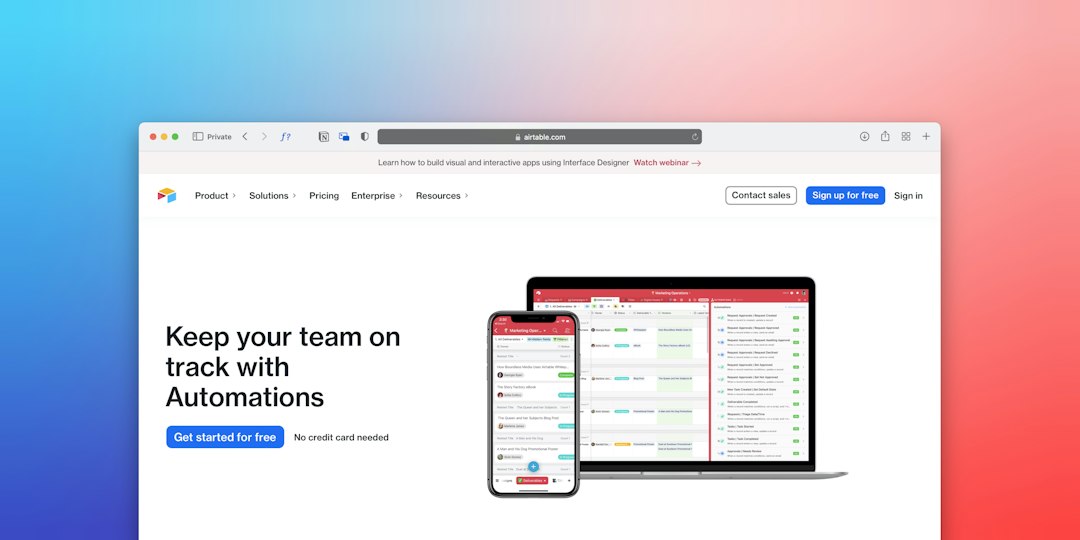
Airtable looks a bit like a spreadsheet. But it acts like a lightweight database. That makes it perfect for inventory, content planning, customer lists, event tracking, product catalogs, and approval workflows.
You can view data as grids, calendars, galleries, forms, timelines, and Kanban boards. Airtable also supports automations and interfaces. This means you can create simple apps for your team without hiring a developer.
Why small businesses like it:
- Powerful data organization.
- Great forms and views.
- Useful for operations and inventory.
- Can create custom internal tools.
Watch out for: It may feel less natural if your team just wants basic task management.
7. Zoho Projects
Best for: Budget-conscious teams that want solid project tools.
Zoho Projects is practical, affordable, and part of the larger Zoho business suite. If your company already uses Zoho CRM, Zoho Books, or Zoho Desk, this can be a very smart pick.
It includes tasks, milestones, time tracking, Gantt charts, documents, forums, and issue tracking. It is especially useful for service businesses, agencies, consultants, and teams that bill by the hour.
Zoho is not always the flashiest option. But it gets the job done. Think of it as the sensible friend who brings a phone charger, snacks, and a backup plan.
Why small businesses like it:
- Good value for the price.
- Built-in time tracking.
- Works well with other Zoho apps.
- Strong project planning features.
Watch out for: The interface may feel less modern than some competitors.

How to choose the right platform
Do not pick the tool with the longest feature list. Pick the tool your team will actually use. That is the secret sauce.
Ask these simple questions:
- How many people will use it?
- Do we need simple tasks or complex workflows?
- Do we need time tracking?
- Do we work with clients inside the platform?
- Do we prefer boards, lists, timelines, or spreadsheets?
- What apps must it connect with?
- What is the real monthly budget?
If your team is tiny, start simple. Trello or Notion may be enough. If you need a full operations hub, try monday.com or ClickUp. If you want clean project management, Asana is a safe bet. If your work runs on data, Airtable is excellent. If budget matters most, Zoho Projects deserves a look.
Final thoughts
The best workflow management software is not the fanciest one. It is the one that saves time, reduces confusion, and makes work feel lighter. A good tool should help your team breathe. Not create another digital monster to feed.
Test two or three platforms before choosing. Use a real project. Invite your team. See what feels natural. If people understand it quickly, that is a great sign.
In 2026, small businesses have better workflow tools than ever. So go tame the chaos. Your tasks are waiting. And yes, Bob still needs to update the proposal.