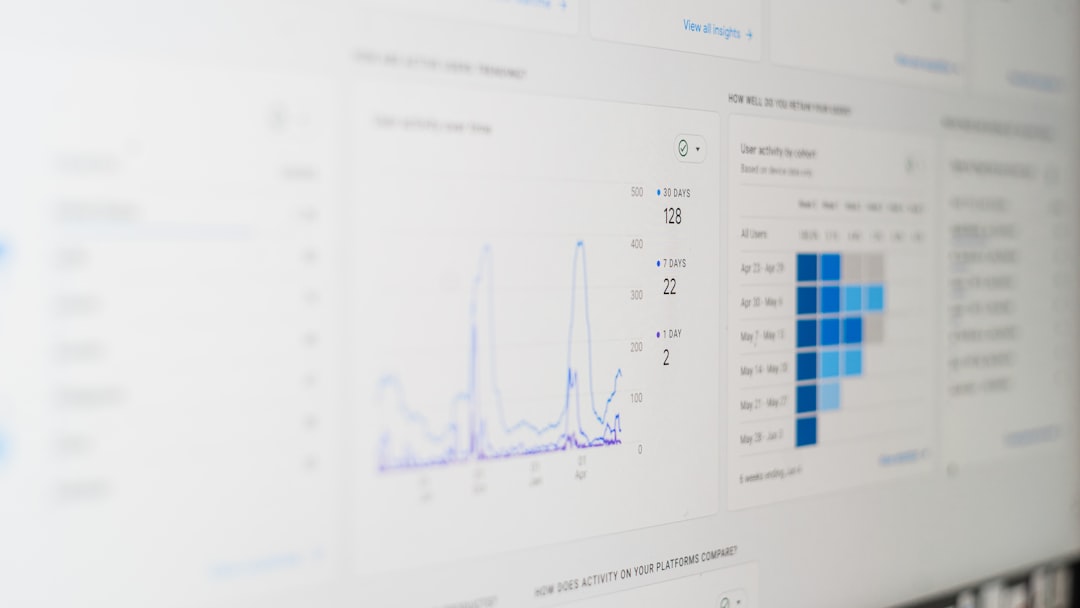

In today’s data-driven world, gathering public opinion through surveys is only half the battle. For market researchers, the true value of a survey lies in their ability to analyze results, apply demographic weighting, and extract insights from specific segments using crosstabs. These capabilities are crucial for generating actionable strategies based on real-world feedback. To meet this demand, specialized survey-analysis tools offer built-in weighting and cross-tabulation features that turn raw poll results into digestible business intelligence.
TLDR
This article explores the top five survey-analysis tools that combine both demographic weighting and advanced crosstabs, essential for actionable insight. These tools save time, reduce error-prone manual calculations, and help researchers drill deep into audience segments. Whether you’re in brand research, public opinion, or UX testing, these platforms are tailored to give you a comprehensive view. Read on to discover which tools lead the market and why.
What Makes a Good Survey-Analysis Tool?
Not all analytics platforms are created equal. The best survey tools for market researchers share a few critical characteristics:
- Built-in weighting features to ensure sample representation aligns with actual population distributions
- Interactive crosstabulation for segmenting responses by demographics, psychographics, or custom variables
- Real-time dashboarding and visualization
- Data export flexibility for integration with other analytics platforms like SPSS or R
- Team collaboration capabilities with role-based access for data security
Below are the top five tools that stand out for researchers looking to go beyond just basic charts and graphs.
1. Qualtrics
Qualtrics is often the go-to platform for enterprise-level research, and for good reason. It features advanced tools for both sample weighting and cross-tabulation in a user-friendly interface.
Key Features:
- Survey weighting wizard: Easily apply demographic weights based on age, gender, region, or custom variables
- Interactive crosstabs: Drag-and-drop interface lets you visualize how responses vary between groups
- Real-time dashboards: Build shareable dashboards with conditional filters
- Statistical testing included: Automatically computes p-values for significant differences in crosstabs
Best For: Enterprises and academic institutions doing large-scale, multi-country research
2. SurveyMonkey Analyze (Momentive)
While SurveyMonkey started as a basic survey tool, its analytics suite—called SurveyMonkey Analyze—offers powerful features tailored toward deeper insights, especially after integrating with Momentive’s data science capabilities.
Key Features:
- Built-in weighting tutorials: Instructive tooltip-based interface for beginners
- Custom crosstabs: Quickly analyze responses by filters, including questions and metadata
- Smart reporting: AI-assisted recommendations to highlight key takeaways
- Exports for SPSS: Enhanced compatibility with traditional analysis tools
Best For: Small to medium teams that want an intuitive interface without sacrificing depth
3. Q Research Software
Tailor-made for professional researchers, Q by Displayr is a robust desktop and cloud-based solution that puts power in the hands of survey analysts. The software is a favorite for those transitioning from SPSS but who need more flexibility and speed.
Key Features:
- Automatic sample weighting: Supports rim and target weighting options
- Advanced crosstabs: Matrix-based tables with embedded statistical testing
- Scriptable engine: Customize with R or JavaScript for advanced logic
- Time-series support: Ideal for tracking studies and longitudinal research
Best For: Technically skilled researchers who need both control and scalability

4. Alchemer (formerly SurveyGizmo)
Alchemer is known for its flexibility and depth in survey design, but its analytics module also includes panel weighting and powerful filter-based crosstabs that can adapt to nearly any research scenario.
Key Features:
- Dynamic weighting profiles: Adjust weighting on a per-response basis
- Filter logic for crosstabs: Create drilldowns by behavior, device, or geo attributes
- API integrations: Seamlessly push weighted results into CRMs or dashboards
- Email-ready reports: Deliver updates to stakeholders on a scheduled basis
Best For: B2B marketers and UX researchers who need highly customizable workflows
5. Confirmit (now part of Forsta)
Confirmit, now rebranded under the Forsta umbrella, offers an enterprise-grade analytics engine used heavily in customer experience (CX) research. For cross-national and tracking projects, this tool stands out in both power and flexibility.
Key Features:
- Analytics Workbench: Drag-and-drop interface supporting complex weighting schemes
- Cross tabulation engine: Run simultaneous tests and comparisons across multiple dimensions
- Custom scripting: Full logic scripting for niche segmentation models
- Multi-language reporting: Ideal for global teams and international surveys
Best For: Large teams conducting global, multi-wave research projects
Why Built-In Weighting and Crosstabs Matter
Weighting is essential when your sample does not exactly match your target population—for example, if you’ve polled more young people than older adults. Without adjusting for these imbalances, any insights drawn may be misleading. Crosstabs, meanwhile, allow researchers to understand how different subgroups (e.g., by gender, income, location) respond to questions—often revealing non-obvious patterns that help refine marketing strategies.
Conclusion
Choosing the right survey-analysis tool is crucial for efficiently transforming raw data into customer-centric decisions. Tools like Qualtrics and Q provide the sophistication needed for academic rigor, while platforms like SurveyMonkey Analyze make high-level analysis accessible without a steep learning curve. Ultimately, the right choice depends on use case, team size, and preferred workflow. However, all five tools listed here offer a powerful blend of weighting and cross-tab capabilities that make them invaluable to today’s market researcher. These platforms move you from data collection to data action—quickly and accurately.
FAQs
- What is survey weighting, and why is it important?
- Survey weighting adjusts responses so the sample more accurately reflects the target population. It’s crucial for minimizing bias when some groups are over- or under-represented in your data.
- What are crosstabs used for in surveys?
- Crosstabs let researchers break down survey data by subgroups (e.g., age, gender, income) to uncover how different segments of the population think or behave differently.
- Is Qualtrics better than SurveyMonkey for analysis?
- Qualtrics offers more advanced features for large-scale or complex studies, especially in academic and enterprise settings. SurveyMonkey is better suited for users who need simplicity and speed without a steep learning curve.
- Can I export weighted survey data to Excel or SPSS?
- Yes, all the tools listed offer data export functionality—most allow exporting results with weights applied, ready for use in Excel, SPSS, or R.
- Are these tools suitable for team collaboration?
- Yes, platforms like Qualtrics, Alchemer, and Confirmit offer team collaboration features, including role-based permissions and cloud-based dashboards.