
The best AI image generator for consistent brand assets is Recraft for most brand teams, while Ideogram wins for text, Midjourney wins for art direction, Adobe Firefly fits corporate workflows, and Nano Banana is strongest for quick edits inside conversational AI. Adobe says Firefly is trained on licensed content, including Adobe Stock and public domain material, which matters for teams that worry about usage rights [source: Adobe].
TLDR: Recraft is the safest pick when a team needs repeatable icons, ads, and social posts in the same visual style. Ideogram is better when the image must include clean words, such as a poster that says “Summer Sale 40% Off”. A small ecommerce team making 30 weekly product graphics could cut production time by 50% to 70% with saved styles and reusable prompts. Midjourney still produces the most polished visuals, but it often needs more cleanup for strict brand use.
Image not found in postmeta
1. Recraft: Best for brand systems and repeatable assets
Recraft feels built for brand consistency first. It works well for vector style assets, icons, illustrations, mockups, and campaign graphics. That makes it useful for agencies, SaaS teams, and startups that need a steady look across many channels.
Its biggest strength is control. Teams can set a style, generate matching artwork, and keep shapes cleaner than many general AI tools. This matters for brand assets because a cute image is not enough. The line weight, color mood, spacing, and texture must match the rest of the brand.
- Best for: vector assets, icon sets, ads, brand kits, social posts.
- Weak spot: ultra realistic scenes may feel less rich than Midjourney.
- Brand value: high consistency with less prompt wrestling.
2. Ideogram: Best for images with readable text
Ideogram stands out because it handles text inside images better than most rivals. That sounds basic, but it is a big deal. Many AI tools still turn short slogans into melted alphabet soup. It drives teams mad when a simple wordmark takes 12 rerolls.
Ideogram is a strong option for posters, packaging mockups, event graphics, thumbnails, and promo banners. It can create bold layouts with readable headlines. This helps marketers test campaign ideas fast before a designer refines the final file.
- Best for: ad concepts, sale graphics, posters, thumbnails, packaging ideas.
- Weak spot: style control can vary across large sets.
- Brand value: better headline accuracy and fast concept testing.
3. Midjourney: Best for premium visual concepts
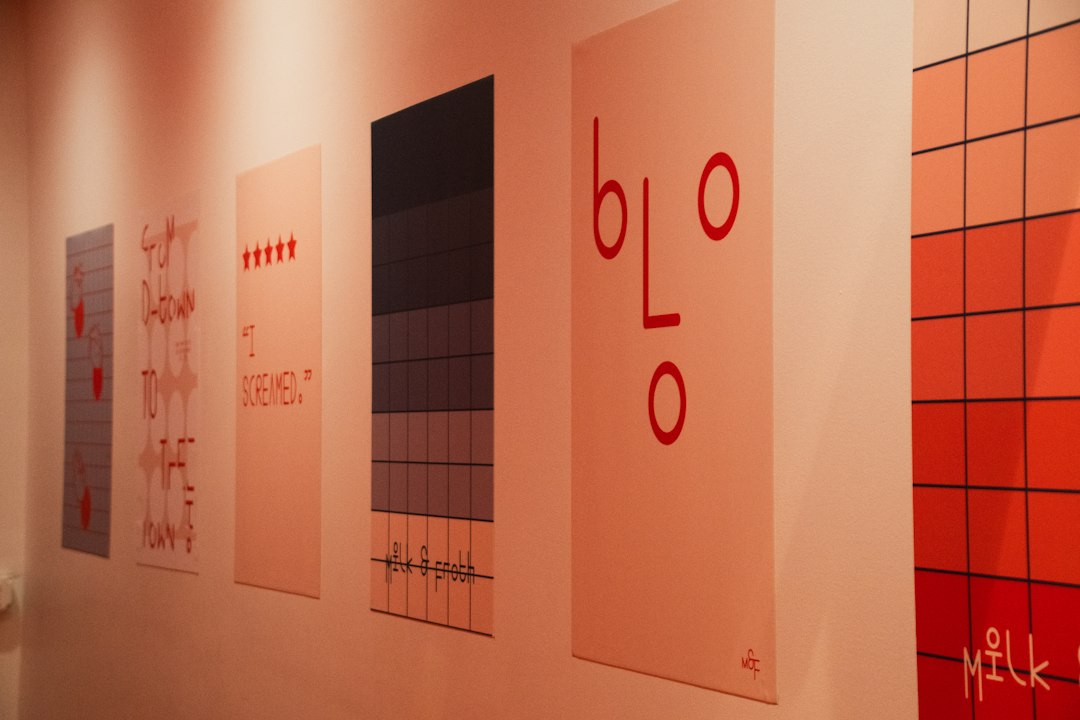
Midjourney is still the favorite when the goal is mood, polish, and visual drama. It makes images that feel expensive. Fashion, hospitality, gaming, music, and lifestyle brands can get strong creative directions from it.
The catch is control. Midjourney can drift from brand rules. A product may change shape. A character may look different between scenes. A color palette may shift. For strict brand systems, teams should expect extra review time.
Still, Midjourney is excellent for creative briefs. A brand team can use it to explore five campaign routes in an afternoon. Then a designer can rebuild the winner with cleaner files and brand approved details.
- Best for: campaign moodboards, hero images, editorial visuals, concept art.
- Weak spot: exact repeatability is not its strongest area.
- Brand value: high end visuals that help sell an idea fast.
4. Adobe Firefly: Best for enterprise and design teams
Adobe Firefly fits teams already working in Photoshop, Illustrator, Express, or Creative Cloud. It is not always the wildest image generator, but it is practical. Designers can generate, edit, extend, and retouch assets inside tools they already use.
Firefly is especially useful for brand safe production tasks. It can extend backgrounds, replace objects, create social graphics, and help build variations. For larger teams, that matters more than flashy output. Legal comfort, workflow fit, and review controls often win.
- Best for: commercial design work, image edits, background fills, brand templates.
- Weak spot: some outputs can look a bit safe or polished flat.
- Brand value: clean workflow for teams already using Adobe apps.
5. Nano Banana: Best for fast edits and prompt based tweaks
Nano Banana is often used to describe Google’s strong image model inside Gemini style workflows. Its appeal is speed and simple editing. A marketer can ask for a change in plain language, then adjust the result without opening a heavy design app.
This is useful for quick brand tasks. A team might swap a background, create a product scene, test a seasonal color, or make a rough social post. Honestly, it feels like the best fit is not final brand production. It is rapid editing when a team needs options now, not after a long setup.
- Best for: quick edits, object changes, layout tests, casual visual drafts.
- Weak spot: brand control depends on the prompt and source image quality.
- Brand value: fast iteration for non designers and content teams.
How teams should choose
- Choose Recraft when the brand needs matching visual systems.
- Choose Ideogram when readable text is part of the image.
- Choose Midjourney when art direction and premium mood matter most.
- Choose Adobe Firefly when legal review and Adobe workflows matter.
- Choose Nano Banana when quick edits matter more than perfect control.
For most brand teams, the best setup is not one tool. A practical stack would use Recraft for core assets, Ideogram for text heavy promos, and Firefly for final edits. Midjourney can shape the big idea. Nano Banana can speed up small daily fixes.
FAQ
- Which AI image generator is best for brand consistency?
Recraft is the best overall choice for consistent brand assets, especially icons, illustrations, and social graphics. - Which tool is best for text inside images?
Ideogram is the strongest option for posters, banners, and images that need readable words. - Is Midjourney good for brand assets?
Yes, but it is better for concepts and polished visuals than strict repeatable brand systems. - Why use Adobe Firefly?
Firefly suits teams that already use Adobe tools and need cleaner commercial workflows. - What is Nano Banana best used for?
It is best for quick edits, prompt based changes, and fast visual drafts.