

Choose Lovable.dev if your project is a product MVP with users, data, and screens; choose Bolt.new if you want a faster code-first workspace that feels closer to building inside a browser-based IDE. Both tools can turn prompts into working apps, but they shine in different moments. The right choice depends less on “which AI is smarter” and more on how much control, structure, and backend support you need.
TLDR
Lovable.dev is better for founders, PMs, and small teams building SaaS-style apps with authentication, dashboards, and database flows. Bolt.new is better for developers and technical makers who want quick control over files, packages, APIs, and frontend logic. For example, if you need a 6-screen subscription tracker with login, user profiles, and Supabase tables, Lovable may get you to a usable MVP in a day; if you need a custom React tool that calls 3 APIs and needs careful package setup, Bolt may feel 30–40% less painful. Both can save time, but neither removes the need to test, fix, and think.

What Lovable.dev Does Best
Lovable.dev is built around describing an app and letting the system create much of the product structure for you. You give it a prompt, and it can generate pages, components, data flows, styling, and integrations. It is often used for startup MVPs, internal tools, dashboards, client portals, and small SaaS products.
The big appeal is that Lovable thinks in terms of product outcomes. You can ask for “a CRM for photographers with leads, client notes, invoice status, and a calendar view,” and it will usually produce something that looks like a real app instead of a bare coding exercise.
Its strengths include:
- Fast MVP creation: Good for turning vague product ideas into clickable software.
- Supabase-friendly workflows: Useful when your app needs authentication, tables, and persistent data.
- Readable UI generation: It tends to create polished screens with decent layout choices.
- Non-developer accessibility: Product people can guide the build without living in terminal commands.
- GitHub export: Helpful when you want to hand the project to a developer later.
The catch is that Lovable can feel a little too confident. It may create broad features quickly, but details can be off. A button may look finished while its logic is half-baked. A database rule may work for the demo user but fail under real permissions. Expect to spend time checking edge cases, especially around auth, payment flows, and user roles.
What Bolt.new Does Best
Bolt.new, from StackBlitz, feels more like an AI coding environment than a product wizard. It runs projects in the browser using WebContainers, which means you can install packages, edit files, run the app, and see errors without setting up a local machine. That matters if you care about the code as much as the output.
Bolt is strong when you already know what you want to build, or when your project has technical constraints. It works well for React apps, landing pages, API tools, browser utilities, small full-stack experiments, and prototypes that need custom libraries.
Its strengths include:
- More direct code control: You can inspect and change files quickly.
- Great for developers: The workflow feels familiar if you use npm, components, and error logs.
- Strong frontend prototyping: Useful for UI experiments, demos, and single-page apps.
- Package flexibility: You can bring in many JavaScript libraries and test them right away.
- Good debugging loop: Errors are visible, and fixes can be applied in context.
Honestly, it feels like Bolt sometimes asks you to be more technical than its marketing suggests. If you are not comfortable reading file structures or error messages, you may hit a wall. When a package conflict appears, the AI can help, but you still need enough judgment to know whether the proposed fix makes sense.

Project Fit: Which One Should You Use?
Use Lovable.dev for app-shaped products. If your idea includes users, dashboards, records, forms, permissions, and a database, Lovable is often the cleaner starting point. It is especially useful when you want to show investors, clients, or teammates an app that feels real.
Good Lovable projects include:
- A booking system for a local service business.
- A lightweight CRM for a niche industry.
- A customer portal with login and saved records.
- An internal admin dashboard.
- A marketplace MVP with profiles and listings.
Use Bolt.new for code-shaped projects. If your idea depends on precise implementation, custom APIs, unusual libraries, or careful frontend behavior, Bolt gives you a better grip. It is also a strong fit for developers who want AI help without giving up the coding environment.
Good Bolt projects include:
- A React dashboard that pulls data from several APIs.
- A browser-based calculator or analysis tool.
- A custom landing page with interactive effects.
- A prototype using a specific JavaScript package.
- A developer tool or internal script interface.
Design Quality and User Experience
Lovable usually has the edge when you need a complete product flow. It often creates menus, cards, forms, empty states, and page structure in a way that feels coherent. The result may still need polish, but the first pass can be surprisingly usable.
Bolt can produce good interfaces too, especially with strong prompting. But it behaves more like a coding partner. If you ask for a vague app, you may get a plain layout. If you specify spacing, components, states, colors, and behavior, it can do much better.
A useful prompt for either tool is not “build me a finance app.” A better prompt is: “Build a personal finance dashboard with a left sidebar, 4 summary cards, a monthly spending chart, a transaction table, category filters, dark mode, and sample data.” Specific inputs create better outputs. Annoying, yes, but true.
Backend, Auth, and Data
This is where Lovable often pulls ahead for non-developers. Its Supabase integration makes it easier to think in terms of accounts, tables, and stored user data. If your project needs sign-up, login, saved records, and row-level access, Lovable is usually the more comfortable path.
Bolt can build backend-connected apps, but you may need to define more of the stack yourself. That is not bad. For developers, it is a benefit. You can choose how the app talks to APIs, where data lives, and how services are wired together. For beginners, it can be a headache.
Speed vs Control
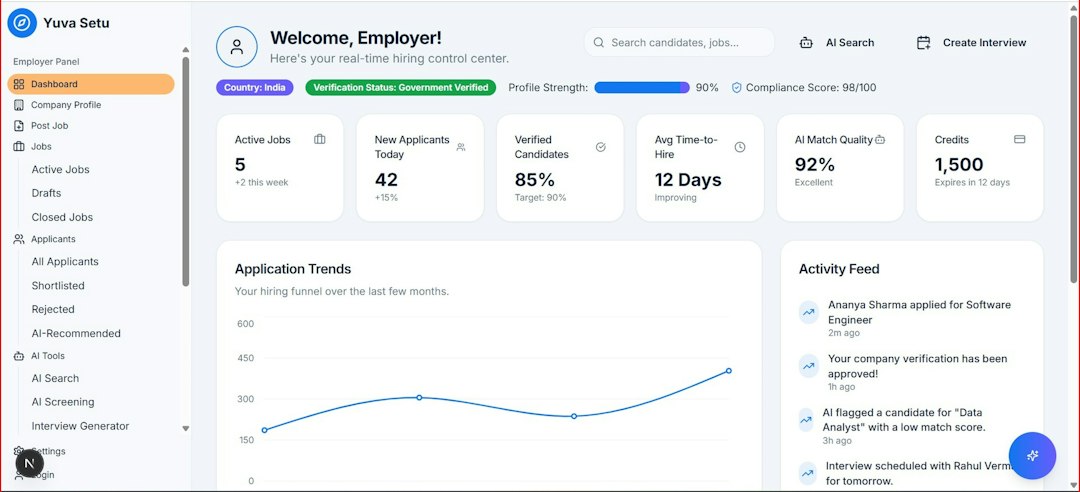
Lovable is usually faster when the goal is a convincing MVP. You can describe the product and get an app-like result quickly. It is great for validating if an idea deserves more time.
Bolt is usually stronger when the goal is controlled implementation. You can start fast, then keep working at the file level. That matters once your prototype becomes serious and small bugs begin to matter.
Think of Lovable as a product builder with AI coding underneath. Think of Bolt as an AI coding workspace with strong app generation on top.
Pricing and Team Considerations
Pricing changes often, so check each site before choosing. The real cost is not just the monthly plan. It is the time spent fixing, exporting, rewriting, and handing work to others.
If your team includes a developer, Bolt may fit better because the generated code is easier to inspect and shape inside a familiar workflow. If your team is mostly founders, operators, or designers, Lovable may reduce the friction between idea and demo.
Final Recommendation
Pick Lovable.dev when you want to build a product people can click through, test, and understand quickly. It is the better choice for SaaS MVPs, business apps, portals, and database-backed prototypes.
Pick Bolt.new when you want AI speed without losing close contact with the code. It is the better choice for developers, technical prototypes, custom frontend work, and projects with specific libraries or API behavior.
The smartest move may be to use both. Start in Lovable if you need to validate the product story. Start in Bolt if the technical build is the risky part. Either way, treat the first output as a draft, not a finished app. The AI can start the build. You still own the judgment.