

Gravity simulation software has become one of the most practical ways to understand orbital mechanics, tides, spaceflight, collisions, and the long-term behavior of planetary systems. For teachers, students, amateur astronomers, and physics enthusiasts, the best tools are not merely visually impressive; they must also make physical concepts clearer, allow meaningful experimentation, and avoid misleading users with unrealistic results.
TLDR: The best gravity simulation software depends on the learning goal: Universe Sandbox is excellent for visual exploration, PhET simulations are ideal for classroom fundamentals, and REBOUND is best for serious numerical experiments. For example, a high school class studying orbital stability could use PhET for a 20-minute introduction, then Universe Sandbox for a 45-minute visual lab comparing Earth-like and extreme planetary systems. In a small astronomy club, even a group of 10 learners can split into teams and test how changing a planet’s mass by 50% affects orbital behavior.
What Makes a Gravity Simulator Educationally Useful?
A good gravity simulator should balance scientific reliability, ease of use, and room for experimentation. Some programs prioritize beautiful 3D visuals, while others focus on numerical accuracy or simple conceptual demonstrations. The right choice depends on whether the user is learning Newton’s law of gravitation for the first time, planning a classroom activity, or testing orbital dynamics with more advanced methods.
When evaluating software, consider these criteria:
- Accuracy: Does the simulation use physically meaningful gravitational models?
- Transparency: Can users see or change parameters such as mass, velocity, and distance?
- Accessibility: Is it usable by beginners without extensive setup?
- Educational support: Are there lesson plans, explanations, or guided activities?
- Performance: Can it handle multiple bodies without becoming unstable or slow?
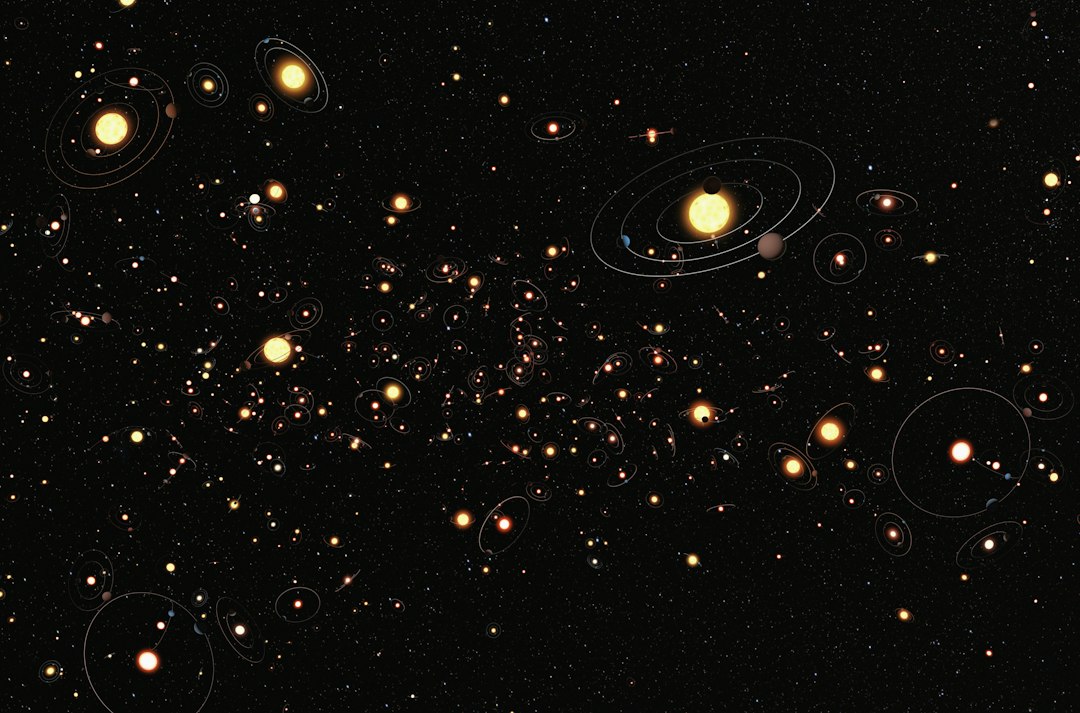
1. Universe Sandbox: Best Overall Visual Gravity Simulator
Universe Sandbox is one of the most popular choices for education and public demonstrations because it combines gravity simulation with impressive visual feedback. Users can collide planets, alter the mass of stars, change orbital speeds, and observe consequences such as ejections, impacts, or climate-related effects. It is especially useful for explaining why orbits are not just “falling around a star” but a balance between velocity and gravitational attraction.
Its biggest strength is engagement. A teacher can demonstrate what happens if Jupiter were moved closer to Earth, or if the Moon were suddenly doubled in mass. Students immediately see that gravity is not an abstract formula but a system-level force with measurable outcomes. However, Universe Sandbox should be used with guidance. Its dramatic scenarios can be educational, but students should understand which setups are realistic and which are intentionally exaggerated for exploration.
Best for: middle school, high school, public outreach, astronomy clubs, and visual learners.
Limitations: It is not the best tool for rigorous research-level numerical integration, and some features require a paid license.
2. PhET Interactive Simulations: Best for Classroom Fundamentals
PhET Interactive Simulations, developed by the University of Colorado Boulder, offers accessible science simulations used widely in schools. While PhET is not a full universe simulator, its gravity-related modules are excellent for teaching core ideas such as force, mass, distance, acceleration, and orbital motion. The interface is clean, browser-based, and suitable for guided lessons.
For younger students or introductory physics courses, PhET is often more effective than complex software. It encourages learners to isolate variables rather than become distracted by dozens of settings. For example, students can compare gravitational force when distance is doubled and observe the inverse-square relationship in a direct, visual way.
Best for: elementary through early undergraduate education, structured lessons, and quick demonstrations.
Limitations: It is less suitable for simulating large N-body systems or realistic planetary formation scenarios.
3. AstroGrav: Best for Amateur Astronomers and Orbital Studies
AstroGrav is a dedicated astronomy simulator that models the gravitational interaction of celestial objects. It is particularly useful for those interested in solar system dynamics, comets, asteroids, and long-term orbital changes. Compared with more visually dramatic simulators, AstroGrav has a more technical feel, but that seriousness can be an advantage for enthusiasts who want to study real astronomical behavior.
Users can model how objects affect each other over time, making it valuable for understanding perturbations, resonances, and orbital stability. It is also a strong choice for learners who have moved beyond basic classroom demonstrations and want a more astronomy-centered tool.
Best for: amateur astronomers, advanced high school students, college learners, and users interested in solar system mechanics.
Limitations: The interface may feel less modern than newer visual applications, and beginners may need time to understand the workflow.
4. REBOUND: Best for Advanced Physics and Research-Oriented Users
REBOUND is an open-source N-body simulation package used by researchers and advanced students. It is not a casual point-and-click application; it is a computational tool, commonly used with programming languages such as Python. For users who want serious control over numerical methods, integration accuracy, and reproducibility, REBOUND is one of the strongest options available.
Its value lies in precision and flexibility. Users can simulate planetary systems, asteroid belts, satellite dynamics, or hypothetical systems and then analyze the results quantitatively. This makes it especially useful in undergraduate projects or independent research. A student investigating orbital stability, for instance, could run hundreds of simulations with slightly different starting conditions and compare the outcomes statistically.
Best for: university students, instructors, researchers, and technically skilled enthusiasts.
Limitations: It requires programming knowledge and is less suitable for quick visual demonstrations.
5. Algodoo: Best for Younger Learners and Physics Play
Algodoo is a 2D physics sandbox designed for interactive experimentation. It is not limited to gravity, but it allows users to create objects, apply forces, and test mechanical systems in an intuitive environment. For younger learners, Algodoo can make abstract physics feel like hands-on construction.
While it is not the best choice for accurate astrophysical simulations, it can introduce gravitational concepts in a friendly way. Students can create falling objects, ramps, pendulums, or simple orbital-like demonstrations. The main educational benefit is that learners discover cause and effect through play, which can prepare them for more formal simulations later.
Best for: younger students, visual experiments, informal learning, and introductory mechanics.
Limitations: It should not be treated as a precision astronomy simulator.
6. NASA’s Eyes: Best for Real Mission Context
NASA’s Eyes is not primarily a gravity sandbox, but it is extremely valuable for understanding real spacecraft, planetary positions, and mission trajectories. It helps users connect gravitational concepts to actual space exploration. Seeing how spacecraft move through the solar system can make topics such as gravity assists, orbital insertion, and interplanetary travel more concrete.
For education, NASA’s Eyes works well as a companion tool. After students learn the basics of orbital mechanics in PhET or Universe Sandbox, they can explore real mission visualizations and see how professional space agencies use gravitational planning in practice.
Best for: space mission education, astronomy outreach, and students interested in NASA missions.
Limitations: It is less useful for building arbitrary gravitational systems from scratch.
Choosing the Right Tool
The best option depends on the audience and objective. A classroom teacher introducing gravity for the first time should usually start with PhET. A science museum presenter or astronomy club leader may prefer Universe Sandbox because it captures attention quickly. A technically confident student who wants to test real orbital hypotheses should consider REBOUND. For astronomy enthusiasts who want a dedicated celestial mechanics program, AstroGrav remains a serious and useful choice.
Practical Teaching Scenario
A strong 90-minute lesson could combine multiple tools. First, students use PhET for 20 minutes to observe how gravitational force changes with mass and distance. Next, they spend 40 minutes in Universe Sandbox testing how changes to planetary mass or velocity affect orbital stability. Finally, the class discusses which simulations were simplified and which results reflect real physics. This layered approach helps avoid the common mistake of treating every visual outcome as equally realistic.
Final Recommendation
For most education and enthusiast purposes, Universe Sandbox is the best all-around gravity simulation software because it is engaging, flexible, and easy to understand visually. PhET is the safest choice for foundational classroom instruction, while REBOUND is the most powerful option for advanced users who need numerical control. The most effective learning often comes from using more than one tool: start simple, explore visually, and then move toward more rigorous simulations as understanding improves.