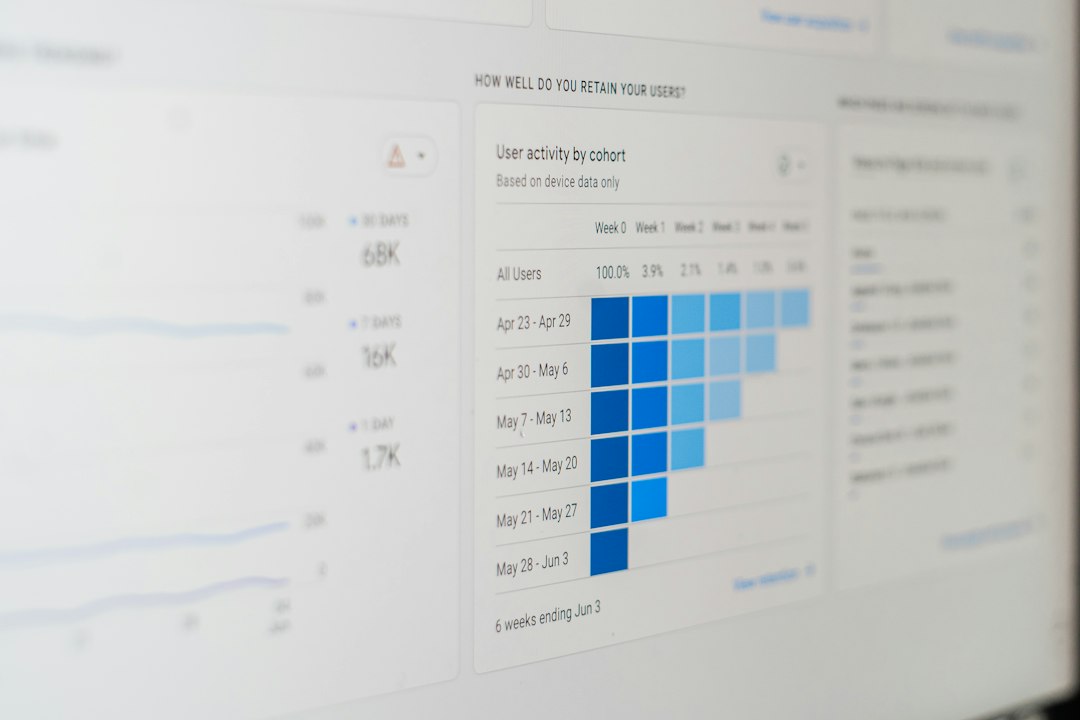

Pick a backlink monitoring tool if links matter to your rankings, traffic, or sanity. Google says links can help its crawlers find pages, so new links and lost links are worth watching [source: Google]. A good tool tells you who linked to you, which links vanished, and whether a link looks useful or shady.
TLDR: Use Ahrefs or Semrush if you want deep backlink data. Use Linkody or Monitor Backlinks if you want simple alerts without a giant SEO cockpit. For example, if your site gains 42 new backlinks in a week but loses 9 high quality links, you can chase the lost ones before rankings dip. A 10 minute weekly check can save hours of panic later.
Why backlink monitoring matters
Backlinks are like tiny votes. Some are gold. Some are junk. Some disappear without warning.
That is annoying. Really annoying. You work hard for a link from a good site, then one day it is gone. Maybe the page was deleted. Maybe the writer changed the article. Maybe your link got replaced by a rival. Rude.
A backlink monitoring tool helps you spot:
- New backlinks from blogs, news sites, directories, and partners.
- Lost backlinks that may hurt your SEO.
- Spammy links that smell like trouble.
- Anchor text that looks natural or awkward.
- Link type, such as dofollow or nofollow.
- Domain strength, traffic clues, and topic match.
1. Ahrefs
Best for: serious SEO teams, agencies, and link builders.
Ahrefs is one of the strongest backlink tools around. It shows new links, lost links, broken backlinks, anchors, referring domains, and link quality signals. The database is huge. The reports are fast.
The fun part? You can see a competitor get a link and think, “Hey, I want one too.” Then you can pitch that site.
The annoying part? It can feel pricey if you only need basic alerts. Also, some menus take a few extra clicks. Not tragic. Just a bit much before coffee.
2. Semrush
Best for: teams that want backlinks plus rank tracking, keyword data, and site audits.
Semrush is more than a backlink checker. It is a big SEO toolset. Its backlink audit tool helps you review toxic links, track referring domains, and compare your link profile with competitors.
It is useful when you want one tool for many SEO jobs. You can check links, keywords, content ideas, and technical issues in one place.
The catch is that it can feel crowded. There are many buttons. Many reports. Many “oh, what does this do?” moments.
3. Moz Link Explorer
Best for: simple link checks and easy quality scores.
Moz is known for Domain Authority and Page Authority. These scores are not Google scores. Still, they are handy for quick checks.
Use Moz when you want to answer simple questions:
- Is this linking site strong?
- Does this page look trusted?
- Are my competitors getting better links?
Moz is clean and friendly. It is not always the fastest at finding every fresh link. But for simple checks, it works well.
4. Majestic
Best for: link data nerds and deep backlink research.
Majestic focuses heavily on links. Its big features are Trust Flow and Citation Flow. Trust Flow looks at link quality. Citation Flow looks at link quantity.
This helps you avoid the classic trap. A site may have thousands of links. But if the links are weak, weird, or spammy, who cares?
Majestic can feel less modern than other tools. The interface is not exactly a party. But the data is useful, especially for link audits.
5. SE Ranking
Best for: small businesses and growing SEO teams.
SE Ranking has backlink monitoring, rank tracking, audits, keyword research, and competitor research. It gives you a clear view of new and lost backlinks. It also shows link status, anchor text, target URL, and domain metrics.
It is easier to use than some big tools. The pricing can also feel more friendly.
If you want a balanced tool without feeling buried under reports, SE Ranking is a strong pick.
6. Monitor Backlinks
Best for: simple backlink alerts.
Monitor Backlinks does what the name says. It watches your backlinks. You can get alerts when links appear or vanish. You can also track competitor links and check anchor text.
This is great if you hate giant dashboards. You log in, check what changed, and move on with your day.
It may not match Ahrefs or Semrush for deep data. But not everyone needs a spaceship. Sometimes a bike is fine.
7. Linkody
Best for: freelancers, bloggers, and small SEO projects.
Linkody is simple and alert focused. It checks your backlinks and tells you when something changes. You can see lost links, new links, nofollow links, and link metrics.
It is also useful for link building campaigns. If you ask 50 sites for links, Linkody helps you confirm which ones went live.
Expect fewer fancy extras. But that may be the point. It keeps things light.
How to judge backlink quality
Do not chase every link. Chase good links. A good backlink usually has:
- Topical match: The site talks about your subject.
- Real traffic: People actually visit it.
- Clean placement: The link sits in useful content.
- Natural anchor text: It does not look stuffed with keywords.
- Strong site signals: The domain looks trusted.
A bad link may come from a spam blog, a hacked page, or a site full of random casino and coupon posts. If the page looks like it was built by a robot having a bad day, be careful.
Which tool should you choose?
- Pick Ahrefs for the best all around backlink research.
- Pick Semrush if you want backlinks plus a full SEO suite.
- Pick Moz for easy authority scores.
- Pick Majestic for deep link analysis.
- Pick SE Ranking for a good mix of price and features.
- Pick Monitor Backlinks for clean alerts.
- Pick Linkody for simple link tracking on a budget.
Check your links once a week. Export the data once a month. Save notes on outreach wins. When a strong link disappears, ask for it back fast. Simple habit. Big payoff.