
WhatsUp Gold is a long-established network monitoring platform from Progress, aimed at IT teams that need practical visibility into devices, applications, traffic, and infrastructure health. It is best known for its network discovery, interactive topology maps, alerting, and performance monitoring, making it a serious option for small and midsize organizations as well as distributed enterprises.
TLDR: WhatsUp Gold is a capable network monitoring tool for teams that want fast device discovery, clear visual maps, and dependable alerting without building a monitoring stack from scratch. For example, a 250-device company could use it to identify overloaded switches, reduce alert noise, and shorten outage investigation time by 30–40% after proper configuration. Its main strengths are usability and network visibility, while its limitations are pricing transparency, scalability considerations, and less depth in some cloud-native use cases.
What Is WhatsUp Gold?
WhatsUp Gold is a network monitoring and management solution designed to help IT administrators track the status, availability, and performance of network-connected assets. It can monitor routers, switches, servers, wireless controllers, virtual environments, applications, and network traffic. The platform uses protocols such as SNMP, WMI, SSH, and flow technologies like NetFlow and sFlow to collect performance and availability data.
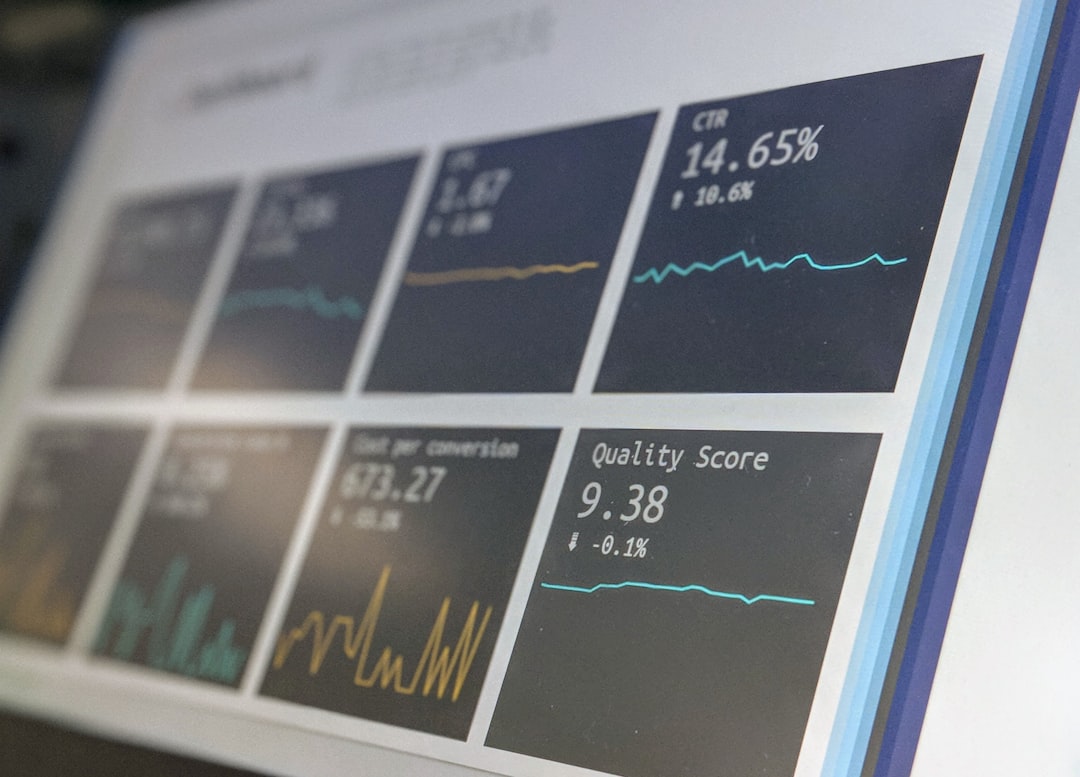
The product is particularly attractive to teams that want a more structured and visual alternative to manual checks, spreadsheets, or fragmented monitoring scripts. It provides a centralized dashboard where administrators can see what is healthy, what is degraded, and what requires immediate attention.
Key Network Monitoring Features
1. Automatic Network Discovery
One of WhatsUp Gold’s strongest features is its ability to discover devices across the network automatically. After scanning an IP range, the tool identifies connected assets and builds an inventory. This helps IT teams maintain a more accurate picture of their environment, especially in organizations where devices are added, moved, or retired frequently.
The discovery process can detect device types, dependencies, and connectivity relationships. This is useful not only for monitoring, but also for audits, documentation, and planning network upgrades.
2. Interactive Topology Maps
WhatsUp Gold’s visual mapping is among its most recognizable capabilities. The platform can generate topology maps that show how devices are connected and where failures may be occurring. These maps are not just static diagrams; they reflect live monitoring data and can help administrators see whether a problem is isolated or part of a wider service disruption.
For teams that rely on quick incident response, this visual context can be valuable. Instead of reading through multiple logs or device lists, an administrator can quickly identify whether a down access switch is affecting a particular department, building, or service segment.
3. Alerting and Notifications
WhatsUp Gold includes configurable alerts for device availability, interface utilization, CPU usage, memory consumption, disk space, service failures, and other conditions. Notifications can be sent through email, SMS, Microsoft Teams, Slack, or other integrations depending on configuration and licensing.
The platform supports thresholds and escalation policies, which are important for reducing unnecessary noise. A serious monitoring system should not simply generate more alerts; it should help teams focus on meaningful problems. WhatsUp Gold performs well here when administrators spend time tuning thresholds and dependencies.
4. Network Traffic Analysis
With traffic analysis capabilities, WhatsUp Gold can help identify bandwidth-heavy users, applications, and conversations. This is especially useful when users complain that “the network is slow” but the root cause is not immediately clear.
By using flow data, IT teams can determine whether congestion is caused by backups, video conferencing, file transfers, cloud applications, or unauthorized services. This evidence-based approach makes troubleshooting more efficient and supports better capacity planning.

5. Server, Application, and Virtualization Monitoring
Although WhatsUp Gold is primarily known for network monitoring, it can also monitor servers, services, and certain application components. It supports Windows and Linux monitoring, as well as virtualization platforms such as VMware and Hyper-V. Administrators can track resource usage, service availability, and system health from the same interface used for network devices.
This broader visibility helps reduce tool fragmentation. However, organizations with highly complex application performance monitoring requirements may still need a specialized APM solution alongside WhatsUp Gold.
Strengths of WhatsUp Gold
- Clear visual interface: The topology maps and dashboards are practical and easy to interpret.
- Strong network discovery: Automated scanning helps build and maintain an accurate inventory.
- Useful alert customization: Thresholds, dependencies, and escalation rules help reduce alert fatigue.
- Traffic visibility: Flow analysis can identify bandwidth problems and usage patterns.
- Good fit for traditional infrastructure: It works well for on-premises and hybrid environments with routers, switches, servers, and virtual machines.
Limitations to Consider
WhatsUp Gold is not without weaknesses. The first concern is pricing transparency. Like many enterprise IT tools, pricing often depends on device count, modules, and support requirements, so buyers may need to request a quote rather than compare costs instantly.
Another consideration is scalability. WhatsUp Gold can support sizable environments, but very large enterprises or service providers with complex multi-tenant needs may find platforms such as LogicMonitor, Datadog, or PRTG more flexible depending on architecture and deployment requirements.
Cloud-native monitoring is also an area where buyers should evaluate carefully. WhatsUp Gold can monitor parts of hybrid infrastructure, but organizations heavily invested in Kubernetes, serverless platforms, or modern observability pipelines may require deeper cloud telemetry, distributed tracing, or log analytics than WhatsUp Gold provides out of the box.
Who Should Use WhatsUp Gold?
WhatsUp Gold is best suited for IT teams that need a dependable, visual, and relatively accessible network monitoring platform. It is a strong option for schools, healthcare organizations, manufacturers, local government agencies, professional services firms, and midsize enterprises with mixed infrastructure.
A typical use case might be a regional company with 15 locations, 400 network devices, and a small IT operations team. Instead of waiting for users to report outages, the team can receive alerts when a branch router goes offline, when a WAN interface exceeds 85% utilization, or when a critical server service stops responding. That kind of visibility can directly improve uptime and response time.
Best WhatsUp Gold Alternatives
1. PRTG Network Monitor
PRTG by Paessler is one of the most common alternatives. It offers sensor-based monitoring for networks, servers, applications, and cloud services. PRTG is often praised for flexible licensing and broad monitoring coverage. It may be a better choice for teams that want an all-in-one monitoring platform with a predictable sensor model.
2. SolarWinds Network Performance Monitor
SolarWinds NPM is a powerful enterprise-grade network monitoring tool with deep performance analytics, topology mapping, and alerting. It is suitable for larger organizations that need advanced network visibility. However, it can be more complex and potentially more expensive than WhatsUp Gold.
3. LogicMonitor
LogicMonitor is a SaaS-based infrastructure monitoring platform popular with distributed IT teams and managed service providers. It offers strong cloud and hybrid infrastructure monitoring. Organizations that prefer a cloud-delivered platform rather than an on-premises monitoring server may find LogicMonitor more appealing.

4. Zabbix
Zabbix is an open-source monitoring solution with extensive customization options. It can monitor networks, servers, applications, and services at scale. The tradeoff is that Zabbix usually requires more technical expertise to deploy, tune, and maintain effectively.
5. Datadog
Datadog is a strong alternative for organizations focused on cloud infrastructure, DevOps, observability, logs, metrics, and application performance monitoring. It is less traditional-network-centric than WhatsUp Gold, but much stronger for modern cloud-native environments.
Final Verdict
WhatsUp Gold remains a credible and practical network monitoring solution, especially for organizations that value visual topology maps, straightforward discovery, and actionable alerts. It is not the most advanced observability platform for cloud-native engineering teams, but it performs well for its core purpose: helping IT departments understand what is happening across their network.
Choose WhatsUp Gold if your main priority is reliable monitoring of network devices, servers, traffic, and infrastructure dependencies in a clear visual interface. Consider alternatives if you need fully cloud-native observability, open-source flexibility, or highly specialized enterprise scalability. For many traditional and hybrid IT environments, WhatsUp Gold remains a serious tool worth evaluating through a trial or proof of concept.