
Menus used to be simple. Print them. Laminate them. Watch them get sticky. Today, many restaurants use digital menus instead. eMenu software helps restaurants show food, prices, photos, deals, and ordering options on screens, tablets, or phones.
TLDR: eMenu software is a useful tool for restaurants that want a cleaner, faster, and more flexible menu. A cafe with 80 items could update prices in 5 minutes instead of reprinting 200 paper menus. Good eMenu tools offer QR menus, photos, upsells, allergen info, and sometimes direct ordering. But it may not be the best fit if you need full POS, delivery, or loyalty features in one system.
What Is eMenu Software?
eMenu software is a digital menu system. It lets restaurants create and manage menus online. Guests can view the menu on a phone, tablet, kiosk, or TV screen.
Think of it as your paper menu with superpowers. You can change prices fast. You can add mouth-watering photos. You can hide sold-out items. You can also show lunch specials only at lunch. Magic? Not quite. But close.
Most eMenu platforms are made for restaurants, cafes, bars, hotels, food courts, and quick-service spots. Some focus only on display. Others include ordering and payment.
Main eMenu Features
Good digital menu software should make life easier. Not harder. Here are the core features to look for.
1. QR Code Menu
This is the big one. Guests scan a QR code with their phone. The menu opens in a browser. No app needed.
This is great for busy tables. It also cuts printing costs. If your burger price changes from $11 to $12, you update it once. Done.
2. Easy Menu Editing
A strong eMenu tool should have a simple dashboard. You should be able to add items, change prices, upload photos, and edit descriptions without calling a tech wizard.
Bonus points if it supports bulk edits. That helps if you have many items.
3. Food Photos and Descriptions
Photos sell food. A crispy pizza photo does more than a plain line of text. A good eMenu lets you add clear images, short item notes, spice levels, and add-ons.
Use simple descriptions. For example: “Grilled chicken, garlic sauce, fresh herbs, and warm flatbread.” Now I am hungry.
4. Allergen and Diet Labels
Guests care about food details. Many eMenu systems let you mark items as vegan, gluten free, spicy, or contains nuts.
This is helpful for safety. It also saves staff time. Fewer repeat questions. Fewer awkward table moments.
5. Multiple Languages
If your restaurant serves tourists, this is a big win. Some platforms let you add menu translations. Guests can switch languages with one tap.
This can boost confidence. When guests understand the menu, they order faster.
6. Ordering and Payments
Some eMenu tools stop at menu display. Others go further. They let guests order from the table. Some also support online payments.
This can reduce wait times. It can also increase average order value. Why? The menu can suggest extras. “Add fries?” “Add avocado?” “Add dessert?” Very sneaky. Very effective.
7. Digital Signage
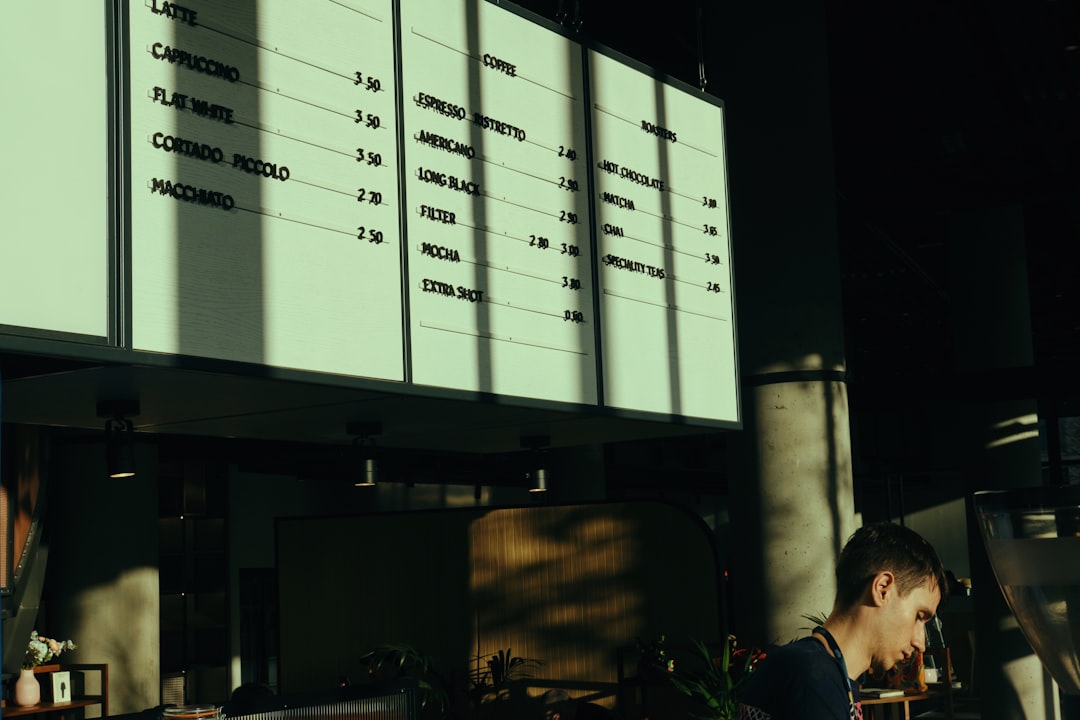
Some restaurants use eMenu software on TV screens. This is common in fast food, bakeries, bubble tea shops, and food courts.
You can show rotating specials, combo meals, and bright photos. It looks modern. It also makes the queue feel shorter.

What Makes eMenu Software Good?
A good eMenu system should be fast, clear, and easy to update. Fancy design is nice. But speed matters more.
Here is a simple checklist:
- Mobile friendly: It must look good on phones.
- Fast loading: Hungry people do not like waiting.
- Simple admin panel: Staff should learn it quickly.
- Clean categories: Starters, mains, drinks, desserts. Easy.
- Item availability: Hide sold-out dishes fast.
- POS support: Useful if you want orders to flow to the kitchen.
- Analytics: See what guests view and order most.
Analytics are often underrated. If 42% of guests click your pasta category but only 8% order pasta, something may be wrong. Maybe the photos are weak. Maybe the price is too high. Maybe nobody trusts “Chef’s Mystery Sauce.” Fair enough.
Pros of eMenu Software
- Lower printing costs: No need to print new menus every week.
- Fast updates: Change prices, items, and specials in minutes.
- Better guest experience: Photos and filters help people choose.
- More upselling: Add-ons and combos can lift order size.
- Cleaner tables: Fewer shared paper or plastic menus.
- Flexible timing: Show breakfast, lunch, and dinner menus at the right time.
Cons of eMenu Software
Digital menus are useful. But they are not perfect.
- Some guests dislike QR codes: Not everyone wants to use a phone at dinner.
- WiFi issues can hurt: A slow menu is annoying.
- Setup takes time: Photos, descriptions, and categories need care.
- Monthly fees add up: Cheap tools can become costly with extra features.
- Not always a full system: Some tools do not include POS, stock, or delivery.
The best move is to keep a few printed menus available. This helps older guests, low-battery guests, and anyone who simply says, “I miss paper.”
Who Should Use eMenu Software?
eMenu software is a strong fit for many food businesses.
- Cafes: Great for daily specials and seasonal drinks.
- Bars: Perfect for happy hour menus and cocktail lists.
- Fast food shops: Useful for screen menus and combo offers.
- Hotels: Handy for room service menus.
- Food trucks: Easy to update based on stock.
- Restaurants with many changes: Great for rotating dishes.
If your menu changes twice a year, you may not need an advanced tool. A simple QR menu may be enough. If your menu changes every day, digital is your friend.
Best eMenu Alternatives
eMenu software can mean different things depending on the provider. So it is smart to compare it with other digital menu and restaurant systems.
1. Toast
Toast is more than a menu tool. It is a restaurant POS system with ordering, payments, kitchen display options, and online ordering. It is a good fit for restaurants that want an all-in-one setup.
It may be too much if you only need a simple QR menu.
2. Square for Restaurants
Square for Restaurants is popular with small and mid-sized businesses. It offers POS features, menu management, payments, and online ordering tools.
It is easy to start. It is also good if you already use Square payments.
3. GloriaFood
GloriaFood is known for online ordering. It can help restaurants accept pickup and delivery orders from their website.
It is a nice choice if ordering matters more than in-house digital menu design.
4. Menutech
Menutech focuses on smart menu creation. It is good for restaurants that care about printed menus, digital menus, allergens, and menu formatting.
It is useful for chefs and managers who update menus often.
5. UpMenu
UpMenu offers online ordering, restaurant websites, loyalty tools, and marketing features. It is a better fit for restaurants that want to grow direct orders.
If you need simple table QR menus only, it may feel like extra machinery.
How to Choose the Right Tool
Start with your real problem. Do not buy features just because they sound shiny.
- If you want fewer printed menus, choose a simple QR menu.
- If you want guests to order at the table, choose table ordering.
- If you want delivery and pickup, choose online ordering software.
- If you want one system for staff and sales, choose a POS platform.
- If you want TV menus, choose digital signage support.
Also check pricing. Some tools charge per location. Some charge per menu. Some charge per order. Read the small print. It is boring, but so is surprise billing.
Final Verdict
eMenu software is a smart upgrade for restaurants that want flexible menus, better visuals, and faster updates. It can make service smoother. It can help guests choose faster. It can also reduce printing waste.
Still, the best choice depends on your goal. A small cafe may only need a simple QR menu. A busy burger shop may need digital signage and POS integration. A delivery-heavy restaurant may need online ordering first.
So do not ask, “Which menu tool is coolest?” Ask, “Which tool saves my team time and helps guests order happily?” That answer is the real special of the day.