

In visual communication, the background of an image can be just as important as the subject itself. A cluttered room behind a product, a distracting street scene behind a portrait, or an inconsistent backdrop across a catalogue can make even a strong image feel unpolished. That is why online background remove tools have become essential for designers, content creators, marketers, and businesses that need clean visuals quickly.
TLDR: Online background removal tools use artificial intelligence to separate the main subject of an image from its background in seconds. They help designers, creators, and businesses produce cleaner visuals for ecommerce, social media, ads, presentations, and branding. The best tools save time, support transparent PNG exports, and offer editing options for refining edges, adding new backgrounds, or creating consistent visual styles.
Why Background Removal Matters
At first glance, removing a background may seem like a simple editing task. In reality, it can dramatically change how an image is perceived. A clean background helps the viewer focus on the main subject, whether that is a product, a person, a logo, or a graphic element. For businesses, this can mean more professional product listings. For creators, it can mean more engaging thumbnails, posts, and promotional materials.
Before online tools became widely available, background removal often required advanced software and manual editing skills. Designers had to trace around hair, clothing, shadows, product edges, and complex textures with precision. Today, AI-powered tools can complete much of this process automatically, making high-quality image editing accessible to people without professional design training.
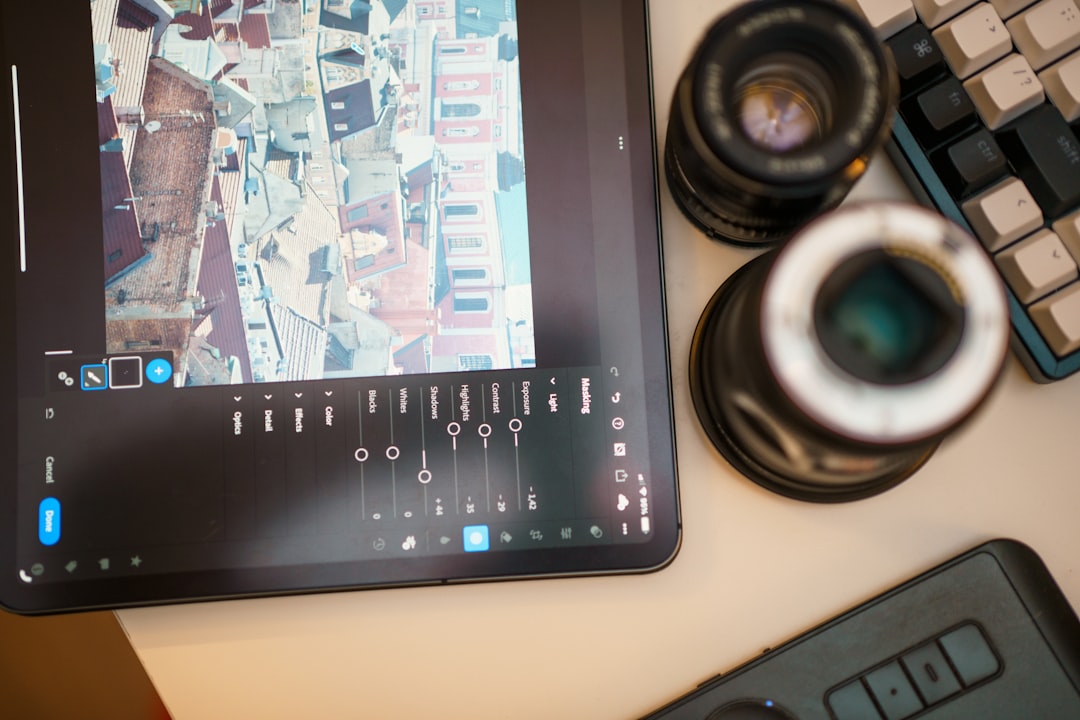
How Online Background Remove Tools Work
Most modern background removal platforms use artificial intelligence and machine learning to detect the subject of an image. The tool analyzes contrast, shapes, colors, edges, and patterns to determine what should remain and what should be removed. In many cases, the process takes only a few seconds: upload an image, wait for the tool to process it, then download the result.
The output is usually a PNG file with a transparent background, which can be placed over new colors, graphics, layouts, or templates. Some tools also allow users to replace the removed background with a solid color, gradient, studio-style setting, lifestyle scene, or custom uploaded image.
More advanced platforms include manual refinement features, such as edge smoothing, brush tools, shadow controls, and background blur. These options are especially useful when working with difficult details like curly hair, glass, fur, lace, or reflective objects.
Benefits for Designers
For designers, online background removal tools are valuable because they speed up repetitive work. Even experienced designers do not always want to spend time manually cutting out images, especially when working on large batches of assets. These tools can create a fast starting point, allowing designers to focus on layout, color, composition, and creative direction.
Designers commonly use background removers for:
- Website graphics: creating clean hero images, banners, and promotional sections.
- Marketing materials: preparing subject cutouts for flyers, ads, brochures, and presentations.
- Brand visuals: placing people, products, or objects into consistent branded layouts.
- Mockups: removing distractions before inserting images into product or packaging previews.
- Composite images: combining multiple cutouts into creative digital artwork.
The biggest advantage is not just speed, but creative flexibility. Once an object or person is separated from the background, it can be resized, recolored, layered, or used across many different formats.
Benefits for Content Creators
Creators on platforms such as YouTube, TikTok, Instagram, and blogs constantly need eye-catching visuals. A sharp portrait cutout, product image, or object placed against a bold background can instantly make content feel more professional. Background removal is especially useful for thumbnails, profile images, digital stickers, tutorials, and promotional posts.
For example, a creator can take a photo of themselves at home, remove the messy background, and place the cutout over a colorful design. A food blogger can isolate a dish and use it in a recipe graphic. A podcaster can remove the background from a guest portrait and create a consistent episode cover style.

Because online tools run in the browser, creators can often edit images without installing large software files. This is helpful for people working from laptops, tablets, or shared devices. Many tools also offer simple drag-and-drop interfaces, making them practical even for users who are not familiar with professional editing programs.
Benefits for Businesses and Ecommerce
For businesses, image consistency builds trust. Customers are more likely to take a product seriously when the visuals look clean, clear, and uniform. In ecommerce, background removal is particularly important because many marketplaces prefer or require product photos on plain or white backgrounds.
Businesses use background remove tools to:
- Standardize product images across online stores and catalogues.
- Create ad creatives for social media, search campaigns, and display banners.
- Prepare marketplace listings with clean product presentation.
- Improve internal documents such as proposals, pitch decks, and sales sheets.
- Generate seasonal visuals by placing the same product into different themed backgrounds.
Small businesses benefit especially because they may not have the budget for full-time design support or professional studio photography. A simple product photo taken with good lighting can be transformed into a more polished image with a removed or replaced background.
What to Look for in a Good Tool
Not all background removal tools are equal. Some are excellent for simple product photos but struggle with complex portraits. Others produce high-quality cutouts but limit downloads or reduce image resolution. Choosing the right platform depends on your workflow, image type, and quality expectations.
Important features to consider include:
- Accuracy: The tool should detect edges cleanly, especially around hair, fabric, hands, and small details.
- High-resolution downloads: This is essential for print, large web graphics, and professional marketing materials.
- Transparent background support: PNG export is a must for flexible design use.
- Manual editing tools: Erase and restore brushes help fix areas the AI may misread.
- Batch processing: Useful for ecommerce stores or teams handling many images at once.
- Background replacement: Built-in color, image, or template options can save extra editing steps.
- Privacy and storage policies: Businesses should understand how uploaded images are handled.
For professional use, it is worth testing a tool with several different image types before relying on it fully. Try portraits, products, objects with shadows, and images with low contrast to see how the platform performs.
Common Challenges and How to Avoid Them
Even the best online background remove tools are not perfect. AI can struggle when the subject and background have similar colors, when the image is blurry, or when important edges are hidden in shadow. Transparent objects, reflective surfaces, and fine hair can also require extra cleanup.
To get better results, start with a high-quality image. Use good lighting, keep the subject clearly separated from the background, and avoid excessive motion blur. If possible, photograph products against a simple backdrop before uploading them. The cleaner the original image, the better the final cutout will be.

It is also important to think about shadows. Removing every trace of the original background can sometimes make a subject look flat or unnatural. Many professional visuals include soft shadows beneath products or people to create depth. Some tools allow you to add artificial shadows, while others require a separate design editor for this step.
Creative Uses Beyond Simple Cutouts
Background removal is not only a cleanup tool; it is also a creative tool. Once a subject is isolated, it can become part of a completely new visual story. A product can be placed in a luxury setting, a portrait can be turned into a bold event poster, or an everyday object can be used in a surreal collage.
Creators often use cutouts for memes, digital scrapbooks, educational graphics, and animated content. Businesses use them for seasonal promotions, personalized email banners, and branded social posts. Designers use them to build layered compositions that would be difficult to achieve with the original photo alone.
The Future of Background Removal
As AI image technology improves, background removal tools are becoming faster, more accurate, and more integrated with broader design workflows. Many platforms are moving beyond simple cutouts into automatic image enhancement, generative backgrounds, smart shadows, object replacement, and brand-aware templates.
This means users will increasingly be able to move from raw photo to finished marketing asset in one place. For busy teams, that can reduce production time and help maintain a consistent visual identity across websites, ads, emails, and social channels.
Final Thoughts
Online background remove tools have changed the way people create visual content. They make once-technical editing tasks faster and more accessible, while still offering enough flexibility for professional workflows. Whether you are a designer building polished layouts, a creator making standout content, or a business preparing product images, these tools can save time and improve presentation.
The key is to use them thoughtfully. Start with strong images, choose tools that match your quality needs, and refine the results when necessary. With the right approach, background removal becomes more than a shortcut; it becomes a practical way to create cleaner, sharper, and more compelling visuals.