

If you’re a PC user looking to enhance your daily workflow, stay organized, and unlock your creative potential, the right apps can make all the difference. With 2026 ushering in exciting new software and smarter tools, there’s no better time to give your PC a productivity and creativity boost.
TL;DR: Want to get more done with less effort on your PC in 2026? From AI-powered writing assistants and powerful design software to sophisticated task managers and coding tools, there’s an app for everything. We’ve compiled a list of essential programs every PC user should consider installing to maximize their productivity and unleash their creativity. Whether you’re a remote worker, student, content creator, or developer, these tools are game-changers.
1. Microsoft Loop – The Future of Collaborative Workspaces
Category: Productivity, Collaboration
Microsoft Loop has made waves in 2026 as the central hub for real-time collaboration and dynamic project management. Designed to unify notes, tasks, and content from across Microsoft 365 applications, Loop allows teams to brainstorm, organize, and execute ideas in a shared, interactive space.
- Live component editing with team members
- Seamless integration with Teams, Outlook, and OneNote
- AI-powered suggestions to help keep tasks on track
If you’re juggling several projects or working in a remote team, Loop is an essential upgrade from static documents or cluttered to-do lists.
2. Notion AI 2.0 – The Smartest All-in-One Workspace
Category: Productivity, AI, Organization
Notion’s evolution with Notion AI 2.0 has solidified its place as a must-have PC app for 2026. Going far beyond simple note-taking, Notion is now your smart second brain, capable of organizing complex projects, auto-categorizing research, and generating summaries, action steps, and even code snippets.
New features in 2026 include:
- AI-editable templates for documents, journals, and dashboards
- Meeting summarization and schedule recommendations
- Multilingual support with automatic text translation
From writers to software engineers, anyone can benefit from how much time Notion AI now saves by reducing repetitive tasks.
3. Affinity Designer 2 – A Creative Powerhouse
Category: Creativity, Graphic Design
For creatives looking to break away from expensive subscription models, Affinity Designer 2 is an absolute gem. Fast, powerful, and loaded with a one-time purchase license, the latest update has narrowed the gap between itself and long-standing industry giants like Adobe Illustrator.
Key highlights include:
- Real-time collaboration for design teams
- Vector and raster work in a unified environment
- Simplified UI suited for both professionals and beginners
Its light resource usage and robust feature set make Affinity Designer 2 one of the most well-rounded apps for digital art and product mockups.
4. Obsidian – Next-Level Note-Taking with Graph Intelligence
Category: Productivity, Knowledge Management
For users who adore deep thought organization and idea mapping, Obsidian continues to dominate in 2026. Unlike linear note apps, Obsidian works on linking ideas through a powerful inner-network structure, giving your thoughts a map-like interface to explore relationships and insights.
What’s new in 2026:
- AI-assisted backlink generation and content recommendations
- Secure Vault syncing across devices
- Smart plugins for rendering diagrams, mind maps, and bibliographies
Whether you’re a researcher or personal knowledge manager, Obsidian helps structure your ideas intuitively and intelligently.
5. ClipDrop by Stability AI – Pro-Level Image Tools Instantly
Category: Creativity, Media Editing
ClipDrop is a powerful utility for anyone working with digital media—be it photography, e-commerce, or app development. Now infused with advanced features like AI-style transfer, background removal, and object isolation, it cuts down creative production times dramatically.
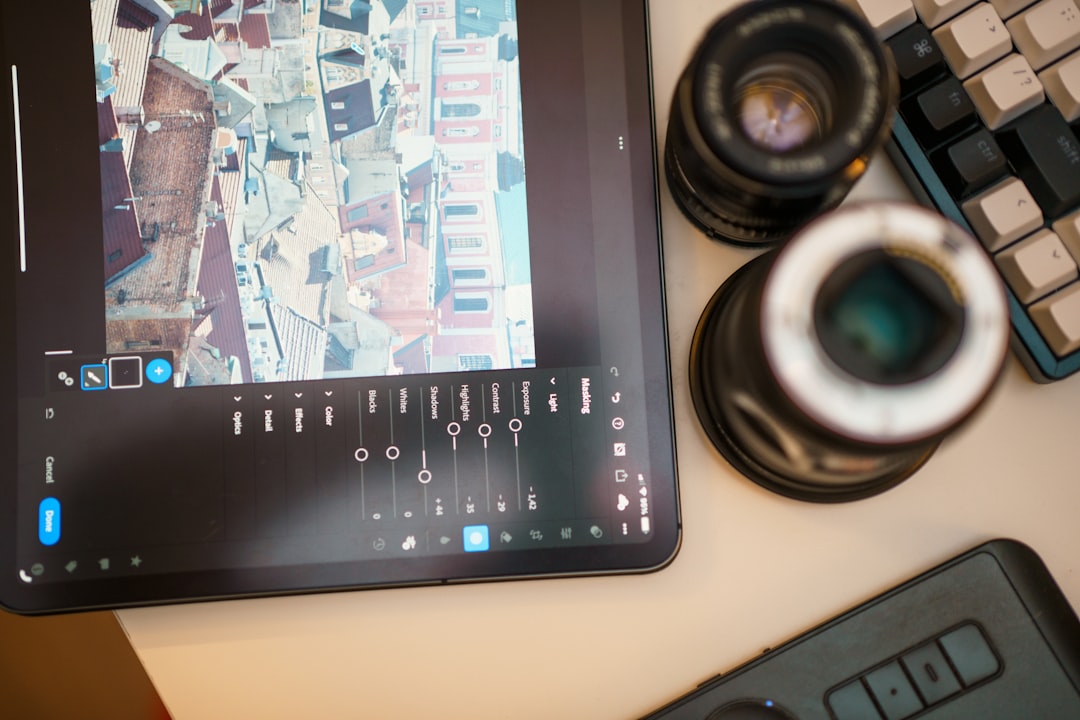
Its smart integration with design tools like Photoshop and Figma lets users drag and drop fully prepared images without manual edits. In 2026, ClipDrop has become the trusted sidekick for every digital creator who needs speed and precision.
6. Raycast for Windows – Keyboard-Centric Productivity
Category: Utilities, Workflow Automation
Originally famed on macOS, Raycast has finally made its Windows debut. It’s a launcher—but not just any launcher. With smart commands, plugin extensibility, and a robust command bar, Raycast helps you navigate your infrastructure and trigger custom workflows instantly—all with a few keystrokes.
Some awesome Raycast use cases:
- Running scripts, toggling system settings, and controlling tools
- Launching applications or files without leaving your keyboard
- Managing GitHub, Jira, and Slack directly from the command bar
It’s perfect for DevOps professionals, power users, and automation geeks seeking a cleaner, faster way to access tools.
7. DaVinci Resolve 19 – All-in-One Media Editing Studio
Category: Creativity, Video Editing
With the latest version arriving in early 2026, DaVinci Resolve 19 is redefining what’s possible in free video editing. Featuring an all-in-one interface for editing, color grading, sound mixing, and VFX, it remains the tool of choice for YouTubers, filmmakers, and social media creators on PC.
New in Resolve 19:
- Real-time collaborative editing via cloud sessions
- Neuron-based noise suppression for crystal-clear sound
- GPU-accelerated VFX previews
It’s a beast in a sleek package—and the best part? The base version is still free.
8. Superhuman for Windows – The Reimagined Email Experience
Category: Productivity, Communication
Email hasn’t died, and Superhuman proves it can be a joy. In 2026, more professionals are switching to Superhuman’s lightning interface and AI-powered features that cut through inbox noise.
What makes it standout:
- Time-saving keyboard shortcuts and reading pane layouts
- AI reply suggestions, follow-up nudges, and unread prioritization
- Distraction-free environment with a clean UI and gamified inbox clearing
If Gmail or Outlook has become a drag, Superhuman keeps the communication flow effortless and meaningful.
9. Visual Studio Code – Still the Developer’s Favorite
Category: Productivity, Programming
Microsoft’s Visual Studio Code continues to dominate as the most versatile and lightweight code editor in 2026. Its adaptability, massive plugin library, and GitHub Copilot integration have made it a haven for developers, data scientists, and hobby coders alike.
Enhancements this year include:
- AI bug explanations and code comment generation
- Containerized project launch environments
- Live Pair Programming capabilities with built-in voice chat
If you write any code, you owe it to yourself to be using VS Code.
10. Todoist Pro – The Ultimate Task Manager
Category: Productivity, Task Management
Todoist Pro in 2026 isn’t just managing tasks—it’s proactively helping shape your day. With adaptive scheduling, project goal tracking, and contextual reminders based on activity or location, it does more thinking for you, so you can spend time doing what matters.
Top features now include:
- AI-prioritized daily task lists
- Auto-sorting of recurring vs. one-time items
- Integration with calendar apps and time blockers
It’s the go-to app whether you’re a student keeping assignments straight or a CEO juggling back-to-back meetings.
<h2