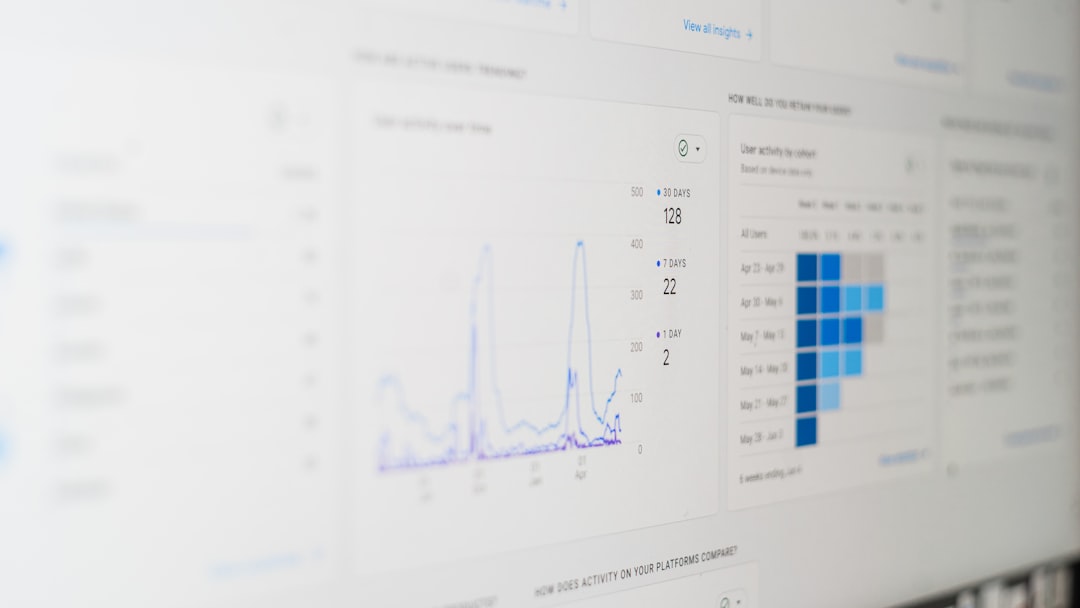

If you’re an indie blogger juggling SEO, content creation, and a love-hate relationship with Google AdSense, you’ve probably faced that heart-pounding drop in revenue you didn’t see coming. RPM slipping for no reason? Pageviews stable but income plummeting? Well, friend, you’re not alone—and you’re also not powerless.
TLDR: You can’t afford to be blindsided when your blog’s AdSense RPM suddenly drops. Luckily, there are a handful of tools that help you track your AdSense performance automatically. These tools give alerts, show trends, and even give you a heads-up when something funky is happening. They’re simple, powerful, and a must-have for indie bloggers watching their digital pennies.
1. Google Data Studio + AdSense Connectors
If you’re into visual dashboards and minimal clicking around, this combo is a lifesaver. Google Data Studio lets you pull in your AdSense data and turn it into beautiful, live graphs. It’s completely free and doesn’t require coding knowledge.
When connected with your AdSense account through a connector like Supermetrics or the native AdSense API, you can set it to track RPM, CTR, CPC, and total earnings over time. You can even set up custom date ranges and filters by country, device, or ad type.
- Pros: Fully customizable, free to use, visually appealing.
- Cons: Initial setup can feel like assembling IKEA furniture without a manual.
Pro tip: Set up conditional formatting so RPM lines turn red when they drop below your average. It’s like a fire alarm, but for your blog income.
2. AdSense Performance Reports + Email Alerts
This one’s already built into your AdSense account. Most people don’t use it to its full potential, though. AdSense lets you create detailed performance reports and, more importantly, email alerts based on certain conditions.
For example, you can create a rule: if RPM drops more than 20% compared to the 7-day average, send an email. That way you’re not checking your stats every hour like it’s your favorite crypto coin.
- Pros: Built-in, no extra tools or setup required.
- Cons: Not very customizable, and interface isn’t the friendliest.
Fun fact: A surprising number of veteran bloggers still miss this feature. Go be better than them.
3. Statcounter
You might know Statcounter for tracking visitor activity, but it’s also a sneaky good companion for AdSense monitoring. Here’s how—it can show you real-time visitor behavior and match it with earnings trends if you segment URLs smartly.
For instance, when you notice a post’s viewership hasn’t changed, but the earnings from that post drop by 40%, that’s a clear sign something in the ad delivery or placement broke. Ad blindness? Ad block? Bad ad targeting? You’ll see the red flags sooner.
- Pros: Great combo of traffic + revenue analysis.
- Cons: Doesn’t directly integrate with AdSense—you’ll need to do a bit of extra work to cross-reference data.
Pro tip: Create a weekly report of your top 10 URLs with their bounce rate and compare that to RPM manually—it often tells a story.
4. Ezoic Big Data Analytics
If you’re on Ezoic (an AdSense alternative/partner), their Big Data Analytics tool is insane—in a good way. It tracks RPM, EPMV (earnings per thousand visitors), and tons of other metrics automatically. Plus, it gives you breakdowns by content, landing page, traffic source, and more.
Image not found in postmetaYou can set it to alert you when RPM drops beyond a set limit. Even better, it includes page-speed impact tracking. Sometimes, RPM drops because of slow load times—bet you didn’t think of that one, right?
- Pros: Extremely detailed, automatic reporting, big blogger vibes.
- Cons: Only available if you’re using the Ezoic platform.
Did you know? More page speed = more ad impressions = more money. Big Data Analytics shows how those are connected like a digital puppet master.
5. Blogging Analytics Toolkit (a.k.a. “Your Own Spreadsheet Wizardry”)
Alright, this one’s for the nerds—or those of us who secretly enjoy copy-pasting numbers into spreadsheets. Grab your AdSense CSV exports weekly or daily. Dump ’em into Google Sheets or Excel. Then create some nice conditional rules: red for RPM drop, green for shiny uplift.
It sounds simple, but with a few average calculations and conditional color coding, you can turn your ordinary spreadsheet into a money monitoring machine.
- Pros: 100% customizable, satisfying to use.
- Cons: Manual setup. But good therapy if you like color-coded grids.
Bonus idea: Grab ChatGPT and ask it to write a Google Apps Script that automates trend logging. It’s geeky, but effective.
How to Choose the Right Tool
Not every indie blogger has time for five dashboards and three platforms. So here’s a quick guide to decide what’s right for you:
- If you want hands-off monitoring: Use Email Alerts in AdSense.
- If you’re visual: Go with Google Data Studio.
- If you’re already on Ezoic: Big Data Analytics is unbeatable.
- If you like comparing URLs and bounce rates: Try Statcounter.
- If you’re a spreadsheet fan: Make your own dashboard with exports.
Think of these like tools in your Batcave. Use one, or use them all—but have something in place before your next RPM dip leaves you crying into your coffee.
Final Thoughts
RPM drops are like speed bumps on your blogging road to success. They’re annoying, sometimes unexpected, but definitely manageable. The trick is to catch them early—before they hurt your wallet too much.
With the right tools, you get to see what’s coming, fix issues faster, and even uncover golden opportunities hiding in your metrics. And let’s be honest—seeing a red RPM line turn green again? Feels pretty dang good.
So go ahead. Pick a tool (or three). Set up your dashboard. Say goodbye to surprise income crashes. Your future self—and bank account—will thank you.