

Finance teams often rely on Excel because it is flexible, familiar, and accepted by stakeholders. The challenge is that manual spreadsheet work can become slow, error-prone, and difficult to audit as models grow. 123Sheets positions itself as a practical solution for improving financial analysis workflows through structured templates, automation, and Excel-based reporting support.
TLDR: 123Sheets is best suited for analysts, founders, accountants, and finance managers who want to speed up recurring Excel-based financial analysis without rebuilding models from scratch. For example, a small company preparing a monthly management report could reduce a 6-hour manual process to around 90 minutes by using automated templates, standardized calculations, and prebuilt dashboards. Its main value is not replacing Excel, but making Excel workflows more consistent, repeatable, and easier to review.
What Is 123Sheets?
123Sheets is a financial analysis and Excel automation resource designed to help users create better financial models, dashboards, reports, and planning files. Rather than asking finance professionals to abandon spreadsheets, it works within the Excel environment and focuses on improving how spreadsheet-based work is structured.
This approach matters because Excel remains one of the most widely used tools in finance. Even companies with advanced ERP, accounting, or business intelligence systems usually export data into spreadsheets for board reporting, budgeting, scenario analysis, or investor updates. A tool such as 123Sheets can be useful when it reduces repetitive formatting, formula setup, consolidation, and presentation work.

Core Features
The strength of 123Sheets appears to be its focus on practical financial work rather than abstract spreadsheet tricks. Users looking for polished, decision-ready outputs may find value in its combination of templates and automation logic.
- Financial analysis templates: Prebuilt spreadsheets can support tasks such as profitability analysis, cash flow tracking, budgeting, forecasting, and performance reporting.
- Excel automation: Automated formulas, linked tables, structured inputs, and reusable layouts help reduce manual copying and repetitive calculations.
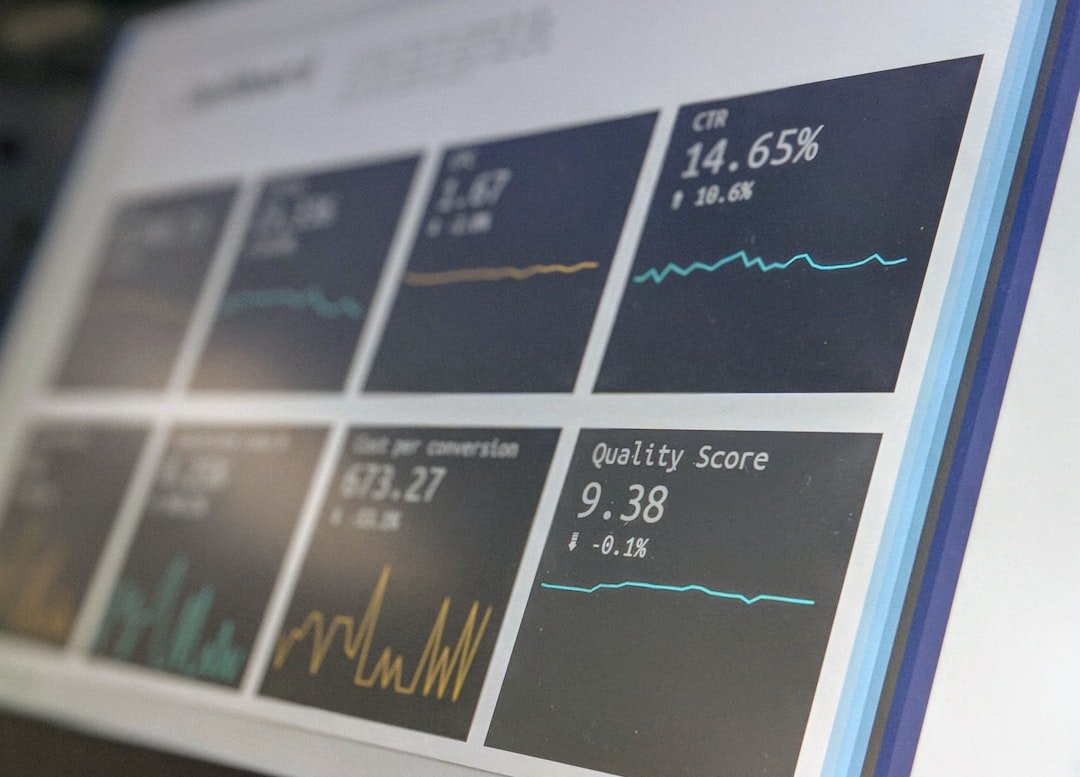
- Dashboards and reporting views: Visual summaries can make it easier to communicate results to managers, investors, or department heads.
- Scenario planning: Inputs can often be adjusted to test different assumptions, such as revenue growth, margin changes, hiring plans, or cost increases.
- Model standardization: Consistent formatting, tab structure, and calculation logic can improve reviewability and reduce spreadsheet confusion.
These features are particularly relevant for small and mid-sized businesses that need reliable reporting but may not have a dedicated financial planning and analysis team. A founder, consultant, or controller can often benefit from a structured model that requires only customization rather than full development.
Excel Automation: Why It Matters
Excel automation is not only about saving time. In financial analysis, automation also improves consistency. Manual spreadsheets often fail because users overwrite formulas, link to the wrong cells, use outdated assumptions, or create hidden calculation errors. Over time, these issues can affect budgets, forecasts, and management decisions.
A well-designed automated workbook can reduce these risks by separating inputs, calculations, and outputs. This separation is important because reviewers can quickly see where assumptions are entered, how numbers are calculated, and where results are summarized.
For example, a revenue forecasting model might include assumptions for customer growth, average order value, retention, and pricing changes. Instead of manually adjusting formulas across multiple tabs, the user can update a small set of input cells and allow the workbook to recalculate revenue, gross margin, cash flow, and summary charts automatically.
Use Cases for Finance and Business Teams
123Sheets can be helpful in several common business situations. Its usefulness depends on how closely the available templates match the user’s reporting needs, but the general use cases are broad.
- Monthly reporting: Finance teams can use standardized dashboards to compare actual results against budget and prior periods.
- Startup planning: Founders can create investor-ready financial projections without building every tab from a blank workbook.
- Cash flow management: Businesses can track expected receipts, payments, working capital needs, and short-term liquidity.
- Budget preparation: Department-level inputs can be consolidated into a structured annual budget file.
- Consulting deliverables: Advisors can use polished templates to present financial insights to clients more efficiently.
Consider a business with $2.4 million in annual revenue and five operating departments. If each department submits separate budget files in different formats, consolidation can take days. A standardized workbook structure could reduce review time, make assumptions easier to compare, and help management identify cost increases earlier. Even a 10% improvement in budget accuracy or a 15% reduction in reporting preparation time can be meaningful for a lean finance team.
Quality of Financial Analysis
The value of any financial template depends on its logic. A visually attractive workbook is not enough if the formulas are unclear or the assumptions are poorly organized. A serious review of 123Sheets should therefore focus on whether the models are transparent, editable, and aligned with standard finance practices.
Good financial analysis should allow users to answer practical questions: Is revenue growing faster than expenses? Are margins improving? How many months of cash runway remain? Which assumptions drive the most risk? If a template helps answer these questions quickly and accurately, it delivers real business value.
Users should still apply professional judgment. Templates can accelerate work, but they cannot verify whether assumptions are realistic. A forecast showing 40% revenue growth, for instance, must still be supported by market demand, sales capacity, pricing strategy, and historical performance. 123Sheets may help organize the numbers, but the responsibility for interpretation remains with the analyst.
Ease of Use and Learning Curve
Because 123Sheets is Excel-based, the learning curve should be manageable for users already comfortable with spreadsheets. Analysts familiar with formulas, pivot tables, charts, and workbook navigation will likely adapt quickly. Less experienced users may need time to understand model structure, especially if the templates include more advanced calculations or linked dashboards.
One advantage of using Excel-compatible automation is that users can inspect the underlying logic. Unlike some closed software platforms, spreadsheets can be reviewed cell by cell. This transparency is valuable for finance managers who need confidence in the numbers before presenting them to leadership.
However, flexibility can also create risk. If users heavily modify a template without understanding the formulas, they may break links or introduce errors. For that reason, it is sensible to keep a clean original copy, document major changes, and protect key formula areas where appropriate.
Strengths and Limitations
123Sheets has several clear strengths, especially for users who want practical Excel improvements without investing in a full enterprise system.
- Strength: It can save time by reducing repetitive spreadsheet setup.
- Strength: It supports more consistent reporting and cleaner financial presentation.
- Strength: It keeps work inside Excel, which many finance professionals already trust.
- Limitation: It may still require customization for industry-specific metrics or unusual business models.
- Limitation: Users must understand the assumptions behind the models to avoid misleading outputs.
- Limitation: It is not a complete replacement for accounting software, ERP systems, or advanced business intelligence platforms.

Who Should Consider 123Sheets?
123Sheets is most relevant for users who regularly prepare financial analysis in Excel and want a more efficient structure. This includes finance analysts, business owners, accountants, fractional CFOs, consultants, and startup teams. It may also suit operations managers who need clear financial visibility but do not want to build complex models from scratch.
It is less suitable for organizations that require highly customized enterprise reporting, real-time database connections, or strict system-level access controls. In those cases, dedicated financial planning software may be more appropriate. Still, even larger organizations often use Excel for supplemental analysis, so a structured template library can remain useful.
Final Verdict
123Sheets offers a serious and practical approach to financial analysis by improving the way users build, automate, and present Excel-based work. Its main advantage is efficiency: it helps users move faster from raw numbers to organized insights. For businesses that depend on spreadsheets for reporting, forecasting, and planning, that can translate into fewer errors, faster review cycles, and clearer management decisions.
The best results will come from using 123Sheets as a disciplined framework, not as a substitute for financial expertise. Users should review formulas, validate assumptions, and adapt templates to their specific business model. When used carefully, 123Sheets can be a valuable addition to an Excel-driven finance workflow, especially for teams seeking reliable automation without abandoning the spreadsheet environment.